Cyber Security
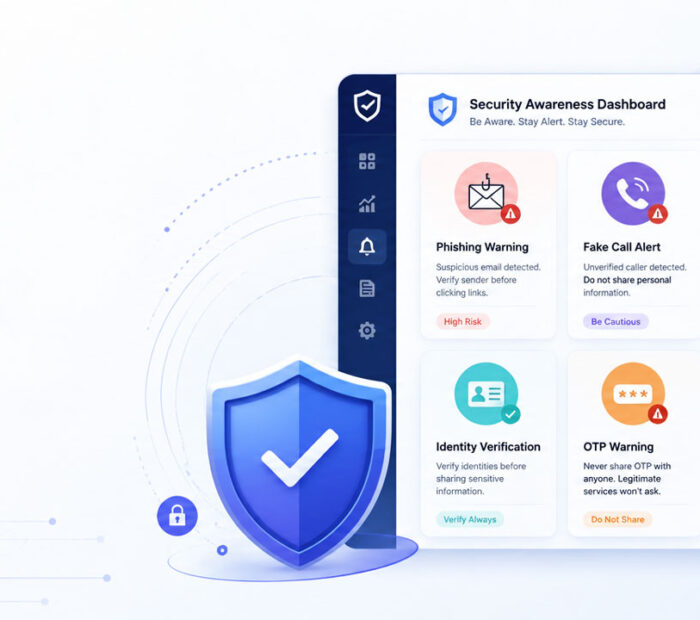
Social Engineering Attacks Explained is an important topic because many cyber attacks do not start with hacking software. Instead, they start by tricking people.
Attackers may send fake emails, make urgent phone calls, create fake websites, or pretend to be someone trusted. As a result, users may share passwords, OTPs, money, documents, or private information without realizing the danger.
Therefore, understanding social engineering can help you pause, verify, and avoid many online scams.
What Is Social Engineering?
Social engineering is a cyber attack method where attackers use human behavior, emotions, and trust to steal information or get access.
For example, a scammer may pretend to be a bank employee and ask you to confirm an OTP. In another case, someone may send a fake delivery message with a suspicious payment link.
In simple words, social engineering means tricking people instead of directly breaking into systems.
Why Social Engineering Works
Social engineering works because attackers create pressure, fear, curiosity, or trust.
For example, a message may say your account will close today unless you click a link. Because the message sounds urgent, you may act quickly without checking the details.
Scammers also use familiar names, logos, fake support numbers, and official-looking pages. However, small details often reveal the scam.
Common Emotions Attackers Use
Attackers often target emotions because emotional users make faster decisions.
| Emotion | How Attackers Use It |
|---|---|
| Fear | Your account will close, or your payment will fail |
| Urgency | Act now, verify today, or respond immediately |
| Greed | Win a prize, get a refund, or claim a reward |
| Trust | Message looks like it came from a bank, manager, or known company |
| Curiosity | Open this file, check this photo, or view this private update |
Once you know these tricks, you can slow down and check before responding.
Common Types of Social Engineering Attacks
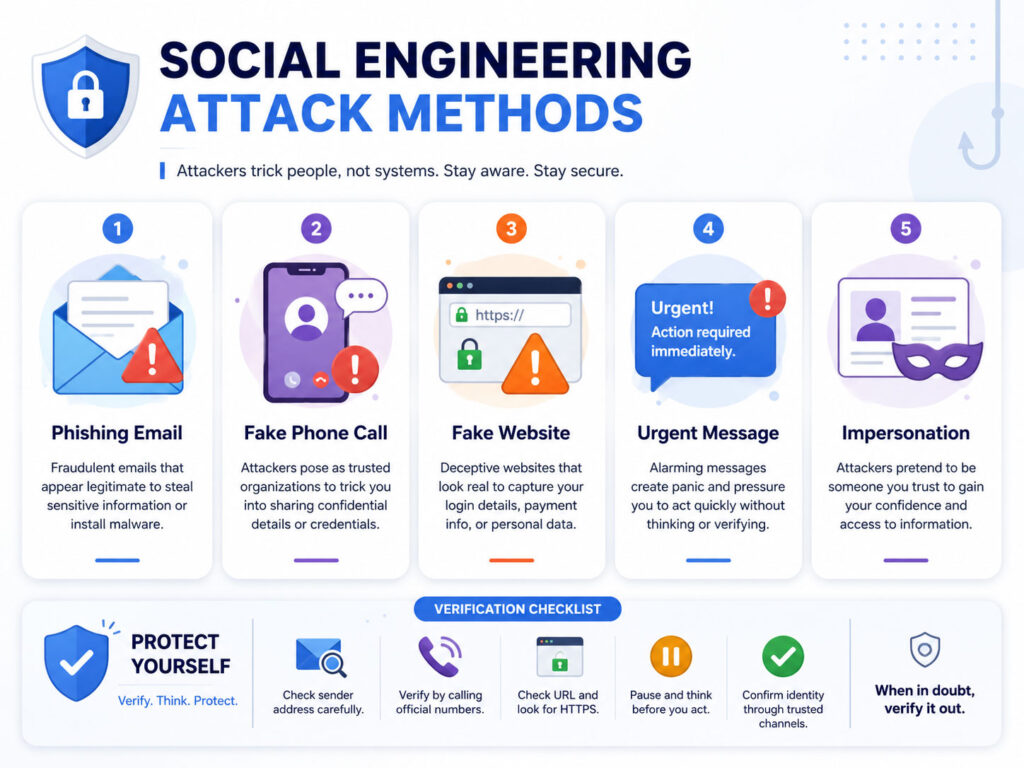
Social engineering can happen through email, phone calls, text messages, social media, or even in-person conversations.
Although each method looks different, the goal remains similar. Attackers want users to trust the message and take unsafe action.
| Attack Type | Simple Meaning |
|---|---|
| Phishing | Fake emails or websites that steal login details or personal data |
| Smishing | Fake SMS or chat messages that include risky links |
| Vishing | Fake phone calls that ask for money, OTPs, or account details |
| Pretexting | A scammer creates a fake story to gain trust |
| Baiting | A fake offer, file, or download tricks users into clicking |
| Impersonation | An attacker pretends to be a trusted person or company |
Phishing Emails
Phishing is one of the most common social engineering attacks.
A phishing email may look like it came from a bank, delivery company, payment app, cloud service, or workplace tool. It may ask you to click a link, download an attachment, reset a password, or verify your account.
However, the link may open a fake website that collects your login details. So, always check the sender, website address, message tone, and request before clicking.
Fake Calls and Vishing
Vishing means voice phishing. In this attack, a scammer calls and pretends to be from a trusted company, bank, government office, or support team.
The caller may say your account has a problem, your card will block, or your payment needs urgent verification. Then, the scammer may ask for OTP, PIN, card number, password, or remote access.
Real support teams should not ask for your password, OTP, or full card details. Therefore, end suspicious calls and contact the company through its official number.
Smishing and Fake Messages
Smishing uses SMS, WhatsApp, or chat messages to trick users.
For example, a message may claim that a delivery failed, a bill is pending, a reward is waiting, or a bank account needs verification. The message may include a link that looks normal at first.
Before opening any link, check whether the message makes sense. Also, avoid entering private details through links received in unexpected messages.
Pretexting and Impersonation
Pretexting happens when an attacker creates a fake story to gain trust.
For example, someone may pretend to be an HR person, vendor, manager, client, bank officer, or technical support person. After building trust, the attacker may ask for files, payment, login details, or approval.
In business settings, this can create serious risk. Therefore, teams should verify unusual requests through official channels.
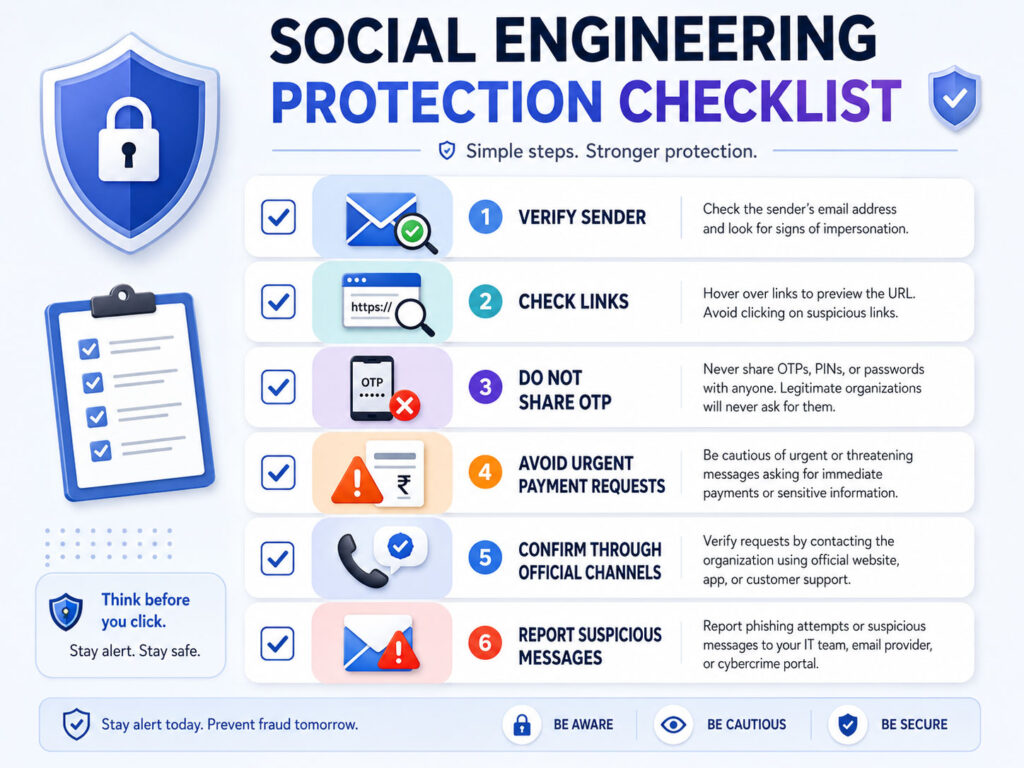
Warning Signs of Social Engineering
Social engineering messages often include clear warning signs. However, users may miss them when the message creates pressure.
Look for these signs before you click, reply, pay, or share information.
- The message asks you to act immediately.
- The sender asks for OTP, password, PIN, or recovery code.
- The link address looks different from the real website.
- The message contains spelling mistakes or unusual wording.
- The caller refuses to let you verify the request.
- The request asks for secrecy or quick payment.
- The offer sounds too good to be true.
If something feels unusual, stop and verify. A few extra minutes can prevent a serious loss.
How to Protect Yourself from Social Engineering
You can reduce social engineering risk by building simple safety habits.
- Do not share OTPs, passwords, PINs, or recovery codes.
- Check website addresses before entering login details.
- Open important websites by typing the address yourself.
- Verify urgent requests through a trusted phone number or official app.
- Use strong and unique passwords for important accounts.
- Enable two-factor authentication wherever possible.
- Do not install remote access apps when an unknown caller asks.
- Report suspicious emails, messages, or calls when possible.
In addition, keep your phone, apps, browser, and computer updated. Updates can reduce other security risks that attackers may combine with social engineering.
Social Engineering Safety for Families
Families should discuss common scams because attackers often target trust and emotions.
For example, a scammer may pretend to be a relative in an emergency and ask for urgent money. Another scammer may send fake prize messages or fake delivery links.
To stay safer, agree on a simple family verification method. For urgent money requests, call the person directly using a saved number before sending anything.
Social Engineering Safety for Businesses
Businesses should train employees to question unusual requests.
For example, a fake vendor may ask to update bank details. Similarly, a fake manager may request urgent payment or confidential files.
To reduce risk, businesses should use approval workflows, official communication channels, multi-step payment verification, and clear reporting rules.
- Verify payment changes through official contacts.
- Use role-based access for sensitive data.
- Train teams with real scam examples.
- Document approval steps for payments and data sharing.
- Encourage employees to report suspicious messages without fear.
What to Do If You Fall for a Social Engineering Scam
If you clicked a risky link or shared information, act quickly.
First, change passwords for affected accounts. Next, enable two-factor authentication and sign out unknown devices. If you shared banking details or made a payment, contact your bank or payment provider immediately.
Also, save evidence such as screenshots, phone numbers, email addresses, links, and transaction details. This information can help during reporting or support.
Conclusion
Social Engineering Attacks Explained simply means understanding how attackers trick people through trust, fear, urgency, curiosity, and fake authority.
These attacks may come through emails, phone calls, SMS messages, social media, fake websites, or business requests. However, the best defense often starts with one habit: pause before you act.
Check the sender, verify the request, avoid sharing OTPs or passwords, and use official channels for important actions. With careful habits, you can protect yourself, your family, and your business from many social engineering scams.

AboutTPJ Technical Team
The Project Jugaad Technical Team creates practical, easy-to-follow content on software development, web technologies, artificial intelligence, cybersecurity, cloud platforms, and digital tools. Our articles are informed by more than 13 years of hands-on experience with .NET, Angular, SQL Server, AWS, WordPress, Linux hosting, application deployment, and real-world troubleshooting. Each guide is researched, reviewed, and updated to provide accurate, useful, and actionable information for developers, businesses, and everyday technology users.