Cyber Security
QR Code Safety Tips are important because QR codes are now used almost everywhere. You may see them on restaurant menus, payment counters, posters, product packaging, event tickets, business cards, and websites.
QR codes are useful because they make access quick and easy. However, the same convenience can also create security risks. A QR code can hide a website link, payment page, file download, app link, or contact detail.
So, before scanning any QR code, you should understand how it works and what safety checks you should follow.
What Is a QR Code?
A QR code is a square-shaped code that stores information in a scannable format. When you scan it using a phone camera or QR scanner, it usually opens a link or shows stored information.
For example, a QR code may open a restaurant menu, payment page, Wi-Fi login, app download, feedback form, or event registration page.
QR codes are not harmful by themselves. The risk depends on what the QR code opens after you scan it.
Are QR Codes Safe?
QR codes are usually safe when they come from a trusted source. For example, a QR code on an official website, verified payment counter, or trusted document may be safe to use.
However, QR codes can become risky when attackers use them to hide fake links or unsafe pages. Since you cannot read the destination just by looking at the QR code, you may not know where it will take you until you scan it.
Because of this, you should always check the link preview before opening it.
Common QR Code Risks
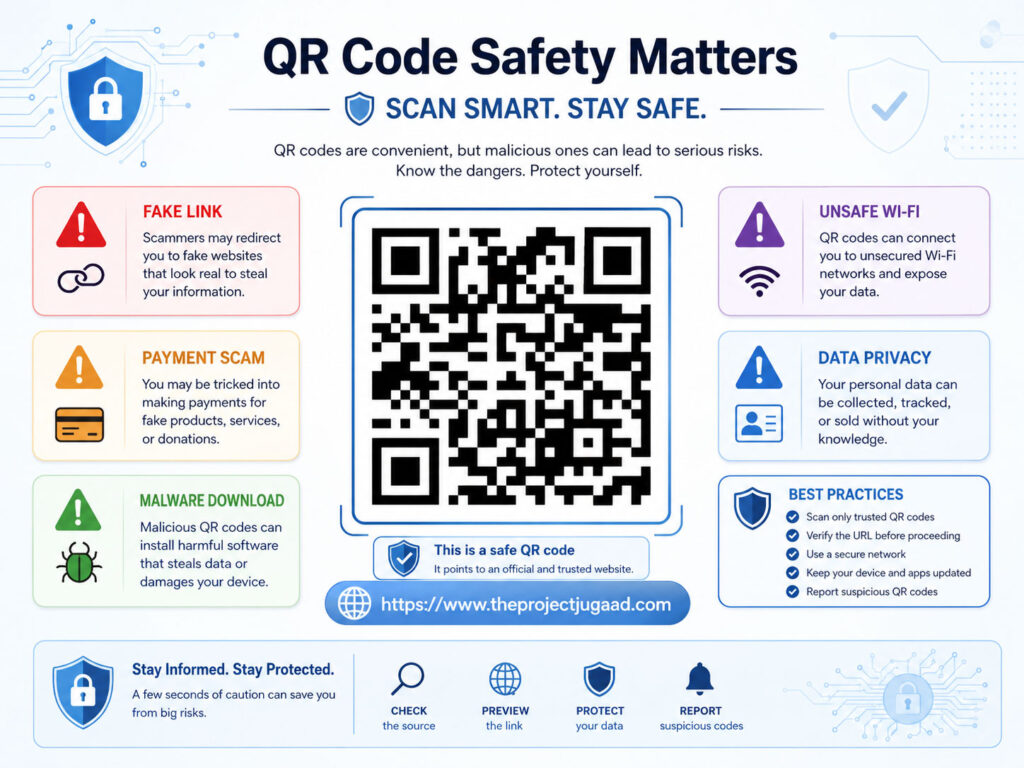
Attackers can use QR codes in different ways to trick users.
| Risk | What Can Happen |
|---|---|
| Fake Website | The QR code may open a page that looks real but steals your login details |
| Payment Scam | The QR code may send money to the wrong account or fake payment page |
| Malware Download | The QR code may open a harmful app or file download |
| Data Collection | The QR code may lead to a form that asks for unnecessary personal details |
| Wi-Fi Risk | The QR code may connect your device to an unsafe network |
In short, the danger is not the QR code design. The danger is the hidden action behind it.
How Fake QR Codes Work
Fake QR codes work by sending users to unsafe destinations.
For example, an attacker may place a fake QR code sticker over a real QR code at a public place. When users scan it, they may land on a fake payment page or phishing website.
Sometimes, attackers also send QR codes through emails, messages, or social media posts. The message may say that you need to scan the code to verify your account, claim a reward, pay a fee, or download a document.
If the page asks for passwords, OTPs, card details, or unnecessary personal information, you should stop immediately.
QR Code Safety Checklist
Before opening a scanned QR code, follow these simple safety checks.
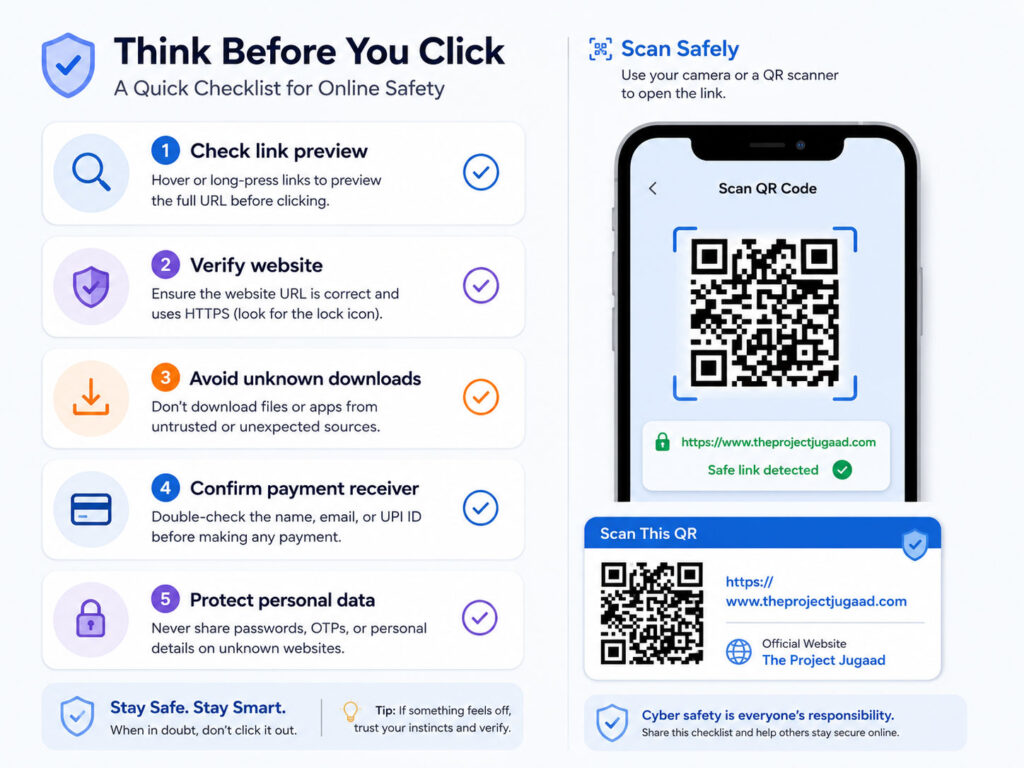
- Check the link preview before opening the page.
- Make sure the website address looks official.
- Avoid scanning QR codes pasted in random public places.
- Do not enter passwords, OTPs, PINs, or banking details on unknown pages.
- Do not download unknown APK files or apps from QR code links.
- Use the official app or website for payments whenever possible.
- Be careful if the QR code creates urgency or offers a reward.
These steps can reduce many common QR code risks.
Safe QR Code vs Risky QR Code
The source of the QR code matters a lot.
| Safe QR Code | Risky QR Code |
|---|---|
| Shown on an official website | Found on a random wall, pole, or public sticker |
| Used by a verified business counter | Pasted over another QR code |
| Opens a known domain name | Opens a shortened or strange-looking link |
| Used only for menu, information, or verified payment | Asks for password, OTP, or card details |
| Matches the expected purpose | Redirects to an unrelated website or download |
Therefore, do not trust a QR code only because it looks professional. Always check where it leads.
QR Codes and Online Payments
QR codes are widely used for payments. They make transactions faster, but you should still verify the receiver before paying.
Before confirming any payment, check the receiver name, amount, and payment app screen carefully. If the name does not match the person or business, do not complete the transaction.
Also, remember that scanning a QR code should usually help you pay someone. If someone says you must scan a QR code to receive money, be careful and verify the process in your payment app.
What to Do Before Entering Personal Details
If a QR code opens a form, check why the form needs your information.
A simple feedback form may ask for a name or email address. However, it should not ask for passwords, OTPs, card numbers, banking PINs, or sensitive identity details without a clear reason.
Also, check whether the website uses a proper domain and secure connection. A secure connection alone does not guarantee safety, but a strange or misspelled domain is a strong warning sign.
Should You Use a QR Scanner App?
Most modern phones can scan QR codes using the default camera app. In many cases, you do not need a separate QR scanner app.
If you install a QR scanner app, choose one from a trusted app store and review its permissions. A QR scanner should not ask for unnecessary access to contacts, messages, files, or location unless there is a clear reason.
Untrusted scanner apps can create privacy and security risks, so use them carefully.
Tips for Creating Safe QR Codes
If you create QR codes for your website, business, event, or document, you should also follow safe practices.
- Use clear and trusted destination links.
- Avoid linking to suspicious or temporary pages.
- Use short but understandable URLs when possible.
- Test the QR code before sharing it publicly.
- Do not collect unnecessary personal data through QR forms.
- Replace damaged or outdated QR codes quickly.
- For payments, make sure the QR code belongs to the correct account.
Safe QR code usage protects both the creator and the scanner.
What to Do If You Scanned a Suspicious QR Code
If you scanned a suspicious QR code, do not panic. First, close the page if you did not enter any details.
If you entered login details, change your password immediately. Then, enable two-factor authentication and log out from unknown sessions.
If you downloaded a file or app, remove it and scan your device with trusted security software. If payment or banking details were involved, contact your bank or payment provider quickly.
Conclusion
QR codes are useful, fast, and convenient. They help users open links, make payments, view menus, join events, and access information quickly.
However, QR codes can also hide unsafe links, fake payment pages, phishing forms, or harmful downloads. Therefore, you should scan them carefully.
Check the source, preview the link, verify the website, avoid sharing sensitive data, and confirm payment details before taking action. These QR Code Safety Tips can help you use QR codes more safely in daily life.

AboutTPJ Technical Team
The Project Jugaad Technical Team creates practical, easy-to-follow content on software development, web technologies, artificial intelligence, cybersecurity, cloud platforms, and digital tools. Our articles are informed by more than 13 years of hands-on experience with .NET, Angular, SQL Server, AWS, WordPress, Linux hosting, application deployment, and real-world troubleshooting. Each guide is researched, reviewed, and updated to provide accurate, useful, and actionable information for developers, businesses, and everyday technology users.