Technology Guide
Cloud Storage vs External Hard Drive is a common question when people want to back up photos, documents, videos, work files, or important personal data.
Both options can help you protect your files, but they work in different ways. Cloud storage keeps your files online, while an external hard drive stores your files on a physical device.
Therefore, the best choice depends on your storage needs, internet access, budget, privacy preference, and backup habits.
Why Backup Is Important
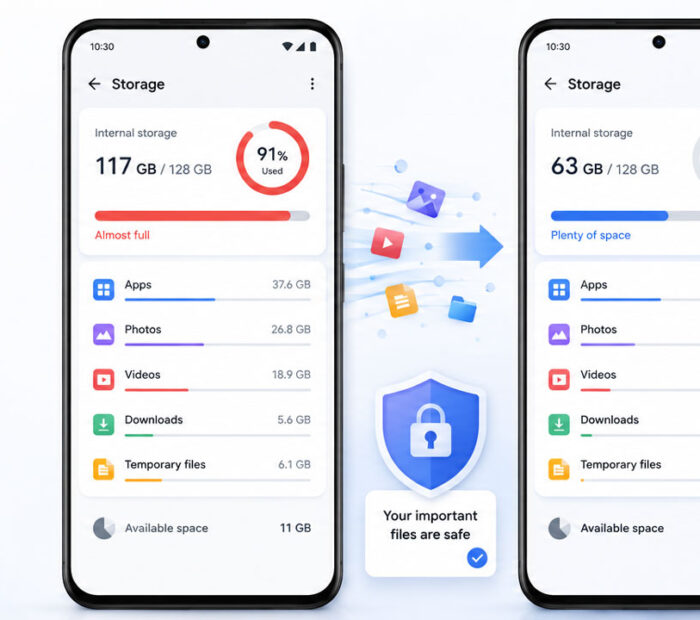
Data loss can happen at any time. A phone may get damaged, a laptop may stop working, a hard drive may fail, or files may get deleted by mistake.
Sometimes, malware or ransomware can also lock or damage important files. Because of this, backup is not optional anymore. It is a basic safety habit for every digital user.
A proper backup helps you recover files when something goes wrong. It also gives peace of mind because your important data does not depend on only one device.
What Is Cloud Storage?
Cloud storage means storing your files on online servers managed by a cloud storage provider.
You can upload files from your phone, laptop, tablet, or computer. After that, you can access those files from anywhere with an internet connection.
Popular cloud storage examples include Google Drive, OneDrive, iCloud, Dropbox, and other online storage services.
Cloud storage is useful because it supports easy access, automatic sync, file sharing, and remote backup.
What Is an External Hard Drive?
An external hard drive is a physical storage device that connects to your computer through USB or another cable.
You can copy files from your laptop or desktop to the external drive and keep them offline. Many users prefer external drives for large files, photos, videos, project backups, and long-term storage.
External hard drives are useful because they offer large storage capacity and do not require an internet connection for file transfer.
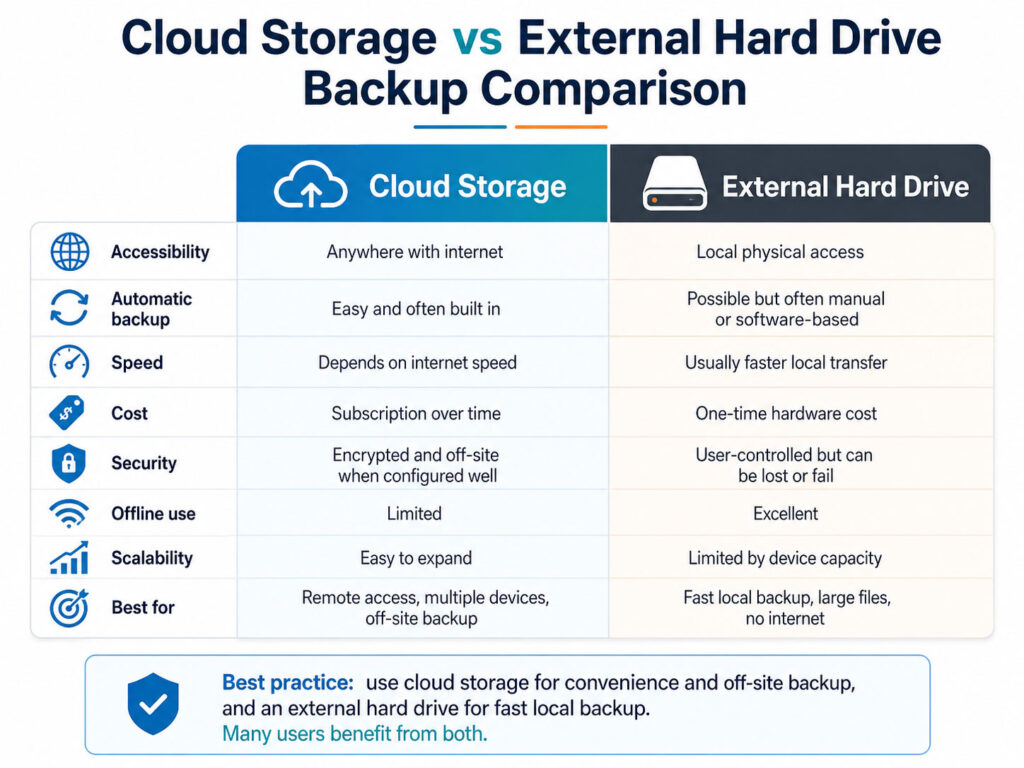
Quick Comparison
Before choosing one option, compare how both backup methods work.
| Point | Cloud Storage | External Hard Drive |
|---|---|---|
| Access | Available from anywhere with internet | Available only when the drive is with you |
| Internet Need | Required for upload, download, and sync | Not required for normal file transfer |
| Storage Size | Depends on your plan | Depends on drive capacity |
| Sharing | Easy to share links and folders | Manual sharing is needed |
| Risk | Needs account and privacy protection | Can get damaged, lost, or stolen |
| Best For | Daily sync, remote access, and file sharing | Large files, offline backup, and personal control |
Advantages of Cloud Storage
Cloud storage is convenient for people who use multiple devices or need access to files from different locations.
- You can access files from phone, laptop, tablet, or browser.
- You can share files and folders easily.
- Many services support automatic backup and sync.
- Your files stay available even if your device is damaged.
- You can recover files from another device after login.
As a result, cloud storage works well for daily documents, mobile photos, office files, and files that need frequent access.
Disadvantages of Cloud Storage
Cloud storage also has some limitations.
- It needs a good internet connection.
- Large uploads and downloads may take time.
- Free storage limits can fill up quickly.
- Monthly or yearly plans may increase long-term cost.
- Your account security becomes very important.
Because of this, you should use a strong password and enable two-factor authentication for your cloud account.
Advantages of an External Hard Drive
An external hard drive is useful when you want offline control over your backup.
- It can store large files such as videos, photos, and project folders.
- It works without internet.
- It offers one-time purchase cost in most cases.
- It gives direct control over where your files are stored.
- It is useful for full computer backups and archive storage.
Therefore, external drives are a good option for large backups and offline file storage.
Disadvantages of an External Hard Drive
An external hard drive also comes with risks.
- It can fail like any other hardware device.
- It can get lost, stolen, or damaged.
- You need to connect it manually for backup.
- It may not protect files during fire, theft, or physical damage at the same location.
- File sharing is not as easy as cloud storage.
So, an external hard drive should not be your only backup option for very important files.
Which One Should You Choose?
The better choice depends on how you use your files.
| Your Need | Better Option |
|---|---|
| Access files from anywhere | Cloud Storage |
| Back up large videos and photos | External Hard Drive |
| Share files with others | Cloud Storage |
| Keep offline backup | External Hard Drive |
| Automatic phone photo backup | Cloud Storage |
| Full laptop or desktop backup | External Hard Drive |
| Best protection for important files | Use Both |
In many cases, the smartest answer is not cloud storage or external hard drive. Instead, use both together.
Best Backup Strategy
A strong backup strategy keeps more than one copy of important data.
For example, keep one copy on your main device, one copy on an external hard drive, and one copy in cloud storage. This way, even if one option fails, you still have another copy.
This approach works well for important photos, documents, certificates, business files, school files, and personal records.
Common Backup Mistakes to Avoid
Many people create backups only after losing data. However, backup works best when you prepare before a problem happens.
- Do not keep important files in only one place.
- Do not depend only on your phone or laptop storage.
- Do not ignore cloud account security.
- Do not forget to check if backups are working.
- Do not keep your only external drive in an unsafe place.
- Do not delay backup for important documents and photos.
Also, test your backup sometimes by opening a few files. This helps you confirm that your files are actually saved properly.
Conclusion
Cloud Storage vs External Hard Drive is not about choosing one perfect option for everyone. Both options have strong benefits and some limitations.
Cloud storage is better for easy access, sharing, sync, and remote backup. On the other hand, an external hard drive is better for large files, offline backup, and personal storage control.
For the best safety, use both options together. Keep your important files in more than one place, protect your accounts, and review your backups regularly.

AboutTPJ Technical Team
The Project Jugaad Technical Team creates practical, easy-to-follow content on software development, web technologies, artificial intelligence, cybersecurity, cloud platforms, and digital tools. Our articles are informed by more than 13 years of hands-on experience with .NET, Angular, SQL Server, AWS, WordPress, Linux hosting, application deployment, and real-world troubleshooting. Each guide is researched, reviewed, and updated to provide accurate, useful, and actionable information for developers, businesses, and everyday technology users.