Technology Guide
Incognito Mode is useful when you want a temporary browsing session that leaves fewer traces on your device. However, it does not make you invisible or anonymous online.
Private browsing mainly changes what the browser stores after you close the session. Websites, network administrators, internet providers, and services you sign in to may still observe parts of your activity.
Therefore, you should use this feature with realistic expectations. It improves local privacy, but it does not replace secure websites, account protection, careful browsing, or network-level privacy tools.
What Is Incognito Mode?
Incognito Mode is the name Google Chrome uses for its private browsing feature. Other browsers use names such as Private Browsing or InPrivate Browsing.
Although the names differ, the main purpose remains similar. The browser creates a separate temporary session and limits the browsing information it keeps after that session ends.
For example, pages from the private session normally do not appear in the standard browsing history after you close every private window. In addition, the browser usually removes temporary cookies and site data created during that session.
How Private Browsing Works
When you open a private window, the browser starts a separate session from your normal browsing window.
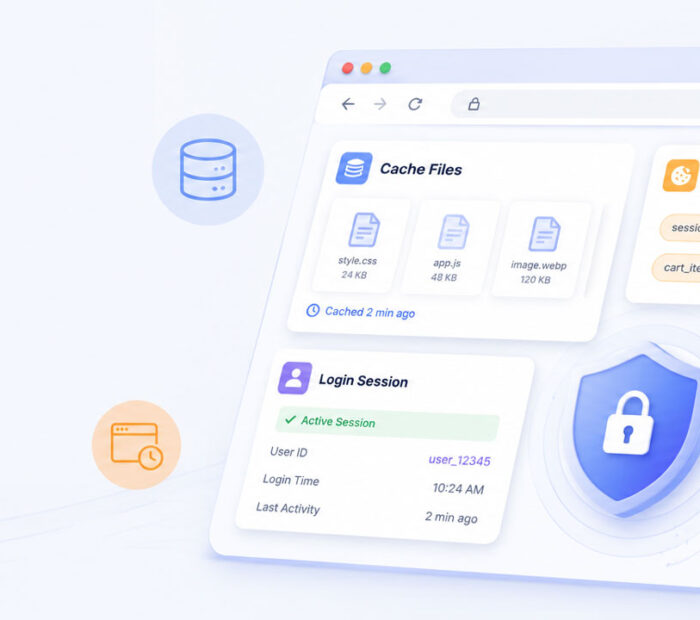
During the session, websites can still use cookies and local data so that pages, logins, and shopping carts work. However, the browser removes much of that temporary session data after you close all private windows.
As a result, a website may sign you out when the session ends. The pages you visited should also stay out of the browser’s normal history.
Still, the browser may keep information outside the temporary session. For instance, files you download and bookmarks you create can remain on the device.
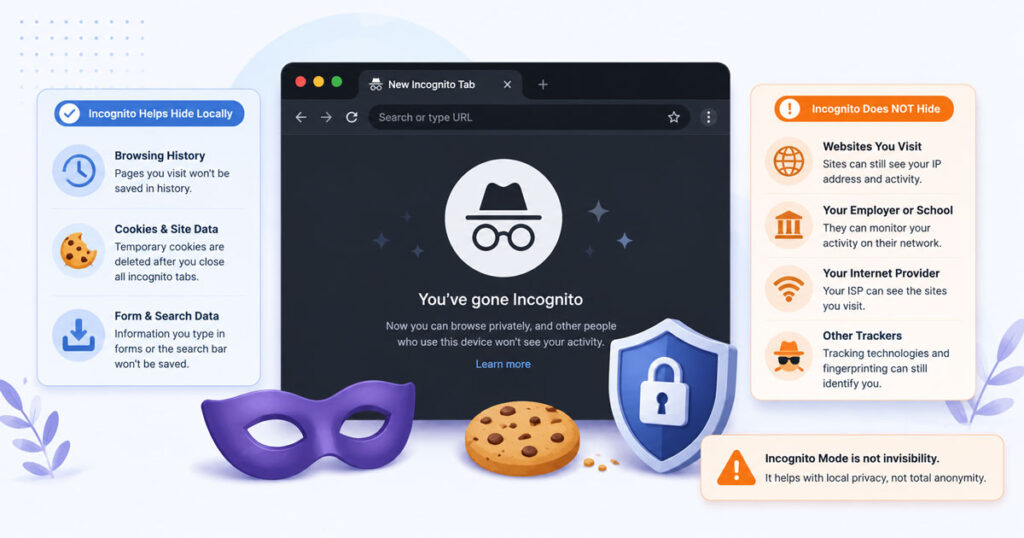
What Incognito Mode Can Hide Locally
Incognito Mode can reduce the information that other people see when they later use the same browser and device.
| Local Information | What Usually Happens |
|---|---|
| Browsing history | Visited pages normally do not appear in the standard history after the private session ends |
| Temporary cookies | The browser usually removes session cookies after all private windows close |
| Site data | Temporary site data from the private session is generally cleared |
| Form information | The browser normally does not keep new form entries for future autofill |
| Login sessions | Websites may sign you out after the private session closes |
Because of these limits, private browsing helps on shared computers or when you want a clean session without using saved cookies.
What Private Browsing Still Saves
A private window does not erase everything you do.
- Downloaded files can remain in the Downloads folder or another selected location.
- Bookmarks can remain in the browser after the session ends.
- Changes made inside an online account can remain on that service.
- Messages, purchases, comments, and submitted forms can still reach the website.
- Malicious files can still harm the device if you open or install them.
Therefore, check the device before you finish, especially when you use a shared or public computer.
What Incognito Mode Cannot Hide
Incognito Mode does not hide your activity from every organisation or service involved in the connection.
For example, your traffic still travels through a network and an internet provider. A school, workplace, hotel, or public Wi-Fi operator may also log, filter, or inspect activity according to its systems and policies.
Meanwhile, websites can see your visits while you use them. If you sign in, the service can connect actions from that session to your account.
| Who or What | What May Remain Visible |
|---|---|
| Websites | Visits, interactions, device details, and account activity during the session |
| Internet provider | Connection information and, depending on the technology, visited services or traffic patterns |
| Workplace or school | Activity that passes through a managed network or device |
| Signed-in services | Searches, videos, purchases, messages, or other account actions |
| Device security tools | Activity recorded by monitoring, filtering, or security software |
Consequently, private browsing should not be treated as complete online anonymity.
Common Private Browsing Myths
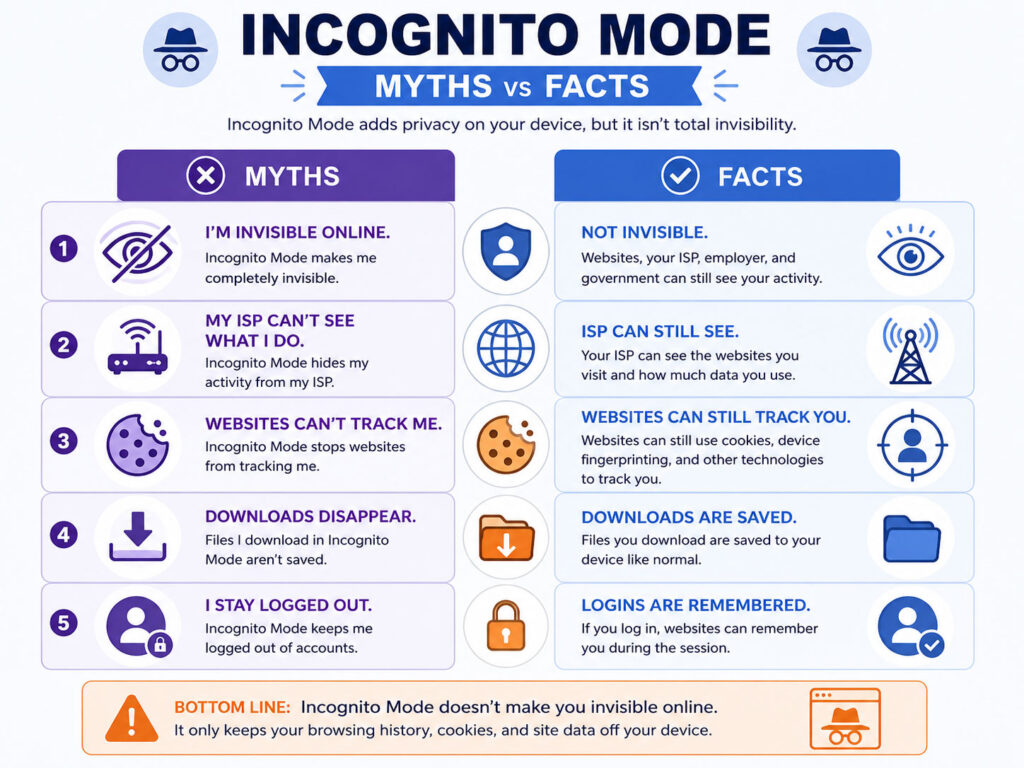
Several common beliefs give users a false sense of privacy.
| Myth | Reality |
|---|---|
| Private mode makes me invisible | It mainly reduces local browser records after the session ends |
| Websites cannot identify me | Websites can still observe visits and identify a signed-in account |
| My provider cannot see anything | The provider still carries your internet traffic |
| Downloads disappear automatically | Downloaded files can remain on the device |
| Private mode blocks malware | Unsafe websites and files can still create security risks |
Therefore, the private-window icon should not change how carefully you judge websites, links, downloads, or login requests.
When Should You Use Incognito Mode?
Incognito Mode works well for several practical situations.
- Using a shared or family computer for a temporary session.
- Opening a website without using existing cookies.
- Testing how a page appears to a signed-out visitor.
- Signing in to a second account temporarily.
- Searching without adding pages to the browser’s normal history.
- Checking whether saved browser data causes a website problem.
However, always close every private window when you finish. Otherwise, another person may reopen the active session and access the websites that remain signed in.
Incognito Mode and Cookies
Cookies still work during an active private session.
For example, a shopping website may use a temporary cookie to remember items in your cart. Likewise, a service may use a cookie to keep you signed in while the private window remains open.
After you close all private windows, the browser generally removes cookies and site data created for that session. As a result, the cart, login, or temporary preferences may disappear.
Nevertheless, the website may keep actions submitted to its servers. Closing the window will not cancel an order, delete a message, or remove activity saved to a signed-in account.
Incognito Mode vs Normal Browsing
| Point | Private Window | Normal Window |
|---|---|---|
| Browsing history | Normally removed after the private session ends | Usually remains until the user clears it |
| Cookies | Temporary session data is usually cleared after all private windows close | Cookies can remain according to browser and website settings |
| Saved logins | New login details are normally not stored for future sessions | The browser may offer to save login details |
| Downloads | Files can remain on the device | Files can remain on the device |
| Network visibility | Network-level visibility still exists | Network-level visibility still exists |
In short, the main difference concerns local browser storage rather than the internet connection itself.
Incognito Mode vs VPN
Incognito Mode and a virtual private network solve different privacy problems.
A private window controls what the browser saves locally after the session. In contrast, a VPN routes device traffic through a VPN server and usually encrypts the connection between the device and that server.
| Point | Private Browsing | VPN |
|---|---|---|
| Main purpose | Reduce local browsing traces | Improve privacy across the network connection |
| Browser history | Normally avoids saving the private session to standard history | Does not automatically stop the browser from saving history |
| Public IP shown to websites | Usually shows the normal network IP address | Usually shows the VPN server’s IP address |
| Traffic to the VPN server | No additional VPN tunnel | Usually encrypted through the VPN connection |
| Protection from unsafe websites | No | No |
Therefore, a VPN does not replace safe browsing, and private mode does not replace a VPN when network privacy matters.
Does Private Browsing Protect Against Viruses?
No. A private window does not block viruses, phishing pages, malicious extensions, or unsafe downloads by itself.
If you download and open a harmful file, it can still affect the device. Similarly, a fake login page can still steal information that you enter.
Therefore, keep the browser and operating system updated. Also, avoid unknown downloads, suspicious links, unexpected attachments, and websites with misleading security warnings.
Does Incognito Mode Improve Privacy?
Incognito Mode improves privacy in a limited but useful way.
It can reduce local traces after a private session, which helps when several people share one device. In addition, it offers a clean session without the cookies already stored in your normal browser profile.
However, it does not hide activity from websites, signed-in services, network operators, or internet providers. For stronger privacy, combine appropriate browser settings with secure connections, careful account use, and reputable privacy tools.
Private Browsing Safety Tips
- Close every private window after completing the session.
- Log out of sensitive accounts before leaving a shared device.
- Delete downloaded files that should not remain on the computer.
- Do not save confidential documents on public or shared systems.
- Use websites with secure HTTPS connections.
- Avoid entering passwords on devices you do not trust.
- Use strong, unique passwords and two-factor authentication.
- Review account activity after using an unfamiliar device.
In addition, remember that the browser cannot protect information that you intentionally submit to a website.
Using a Private Window on a Shared Device
Private browsing can reduce local history, but the device itself may still create risks.
For example, the computer may contain monitoring software, malicious extensions, saved screenshots, or an unsafe keyboard. Therefore, avoid accessing highly sensitive services from a device you do not trust.
If you must use a shared computer, keep the session brief. Afterwards, sign out, close every private window, remove downloaded files, and review your account from a trusted device.
What to Do After a Private Session
- Sign out of important websites.
- Close every private window, not just the active tab.
- Check whether any files remain in Downloads.
- Remove confidential documents from the device.
- Do not leave printed information or copied text behind.
- Review account alerts when the device or network seemed suspicious.
These steps matter most on computers that other people can access.
Incognito Mode: What It Can and Cannot Hide
| Usually Helps With | Does Not Fully Hide |
|---|---|
| Standard browser history on the device | Activity from websites you visit |
| Temporary session cookies after closing all private windows | Traffic from an internet provider |
| New form entries and temporary login sessions | Monitoring on a workplace or school network |
| Using a clean session without existing cookies | Actions connected to a signed-in account |
| Separating temporary browsing from the normal profile | Downloaded files, bookmarks, malware, or phishing |
Conclusion
Incognito Mode offers local privacy rather than complete online anonymity.
It can keep a temporary session out of the browser’s standard history and remove temporary cookies after you close every private window. However, websites, signed-in accounts, networks, and internet providers may still observe relevant activity.
Therefore, use private browsing for shared devices, temporary logins, testing, and clean sessions. At the same time, follow safe browsing habits and protect important accounts with strong security controls.

AboutTPJ Technical Team
The Project Jugaad Technical Team creates practical, easy-to-follow content on software development, web technologies, artificial intelligence, cybersecurity, cloud platforms, and digital tools. Our articles are informed by more than 13 years of hands-on experience with .NET, Angular, SQL Server, AWS, WordPress, Linux hosting, application deployment, and real-world troubleshooting. Each guide is researched, reviewed, and updated to provide accurate, useful, and actionable information for developers, businesses, and everyday technology users.