Artificial Intelligence
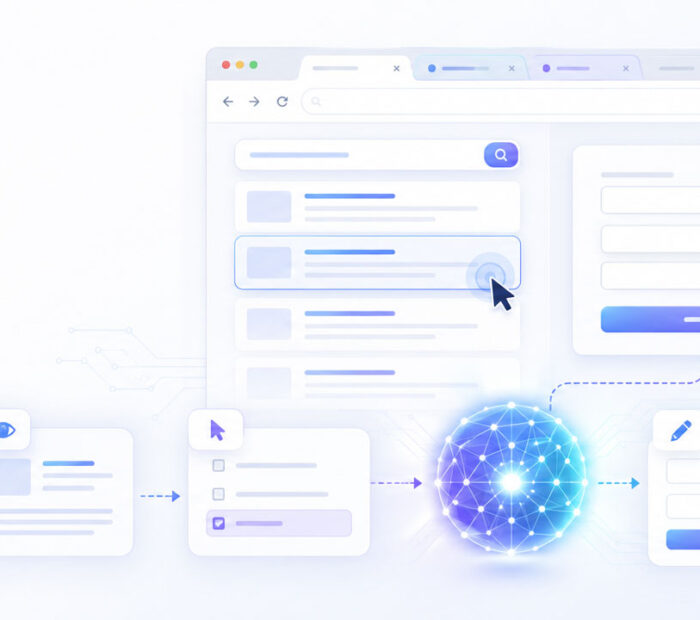
AI browser agents are changing how people interact with websites. Instead of only answering questions or providing instructions, these systems can inspect web pages, navigate between screens, click controls, enter information, compare options, and work through multi-step online tasks.
For example, a browser agent might research products across several websites, collect information for a report, prepare a form, find available appointments, or test a website by following the same steps a user would take.
This capability makes browser agents more powerful than a standard chatbot, but it also creates additional risks. An incorrect click, misleading website, outdated price, malicious instruction, or misunderstood form field can have real consequences when an AI system is allowed to take actions.
For that reason, AI browser agents work best as supervised digital assistants: they can handle repetitive browsing and preparation while important decisions, sensitive information, payments, submissions, and irreversible actions remain under user control.
AI Browser Agents: Quick Answer
- AI browser agents can inspect websites and determine which action may help complete a user-defined task.
- They may click, type, scroll, select options, follow links, and navigate between pages.
- Common uses include online research, comparison, repetitive form work, website testing, and task preparation.
- Unlike fixed automation scripts, browser agents can adapt to some changes in page layout and wording.
- Their actions are not guaranteed to be correct, so important results should still be verified.
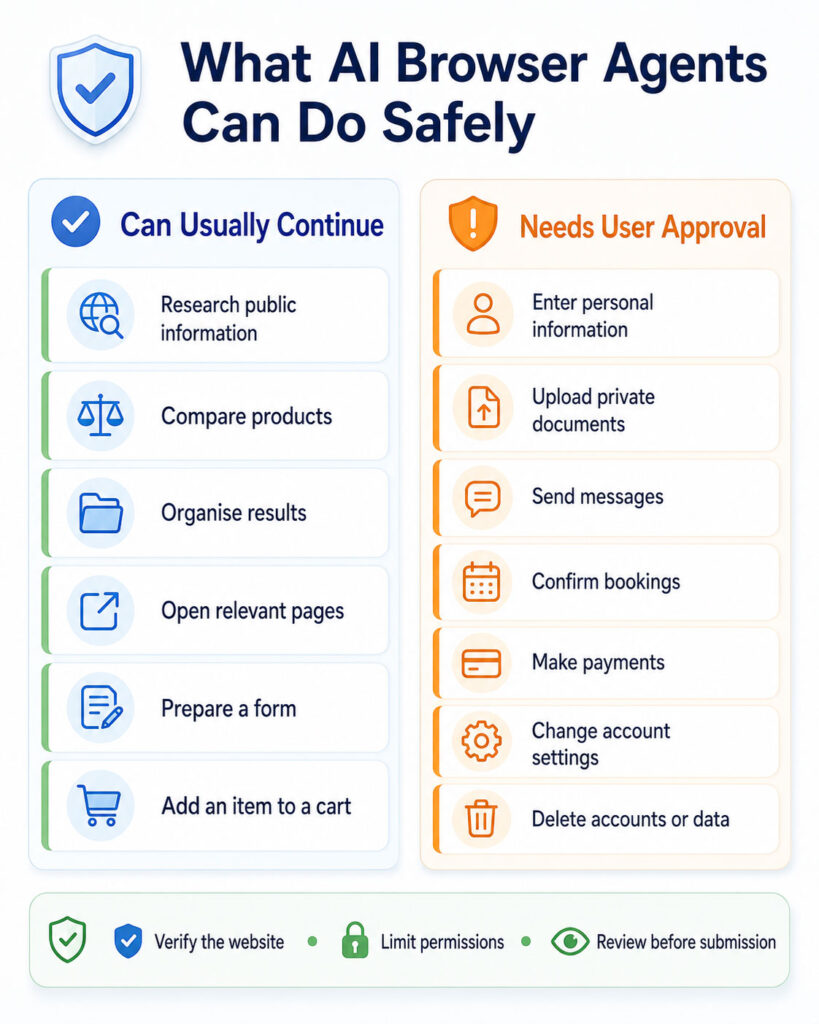
- Sensitive information, payments, bookings, messages, account changes, and irreversible actions should require clear user approval.
- Website content should be treated as untrusted because pages can contain misleading or malicious instructions.
In short, browser agents can reduce the manual work involved in navigating websites, but giving an AI permission to act is different from asking it to generate an answer. The more consequential the action, the stronger the safeguards and user review should be.
What Is an AI Browser Agent?
An AI browser agent is a software system that combines an AI model with tools that allow it to observe and interact with websites.
Instead of giving the system a fixed sequence such as “click this button, open that link, and enter this value,” a user can provide a broader objective.
For example:
“Find three hotels close to the conference venue, compare their prices and cancellation policies, and prepare a table.”
The agent can then inspect the available pages, decide what information it needs, perform an action, observe what changed, and choose the next step.
This repeated process gives browser agents more flexibility than conventional automation, particularly when websites contain changing layouts, unexpected pop-ups, or information that requires interpretation.
What Does Agentic Browsing Mean?
Agentic browsing refers to web interaction in which an AI system works toward a goal rather than responding to only one isolated prompt.
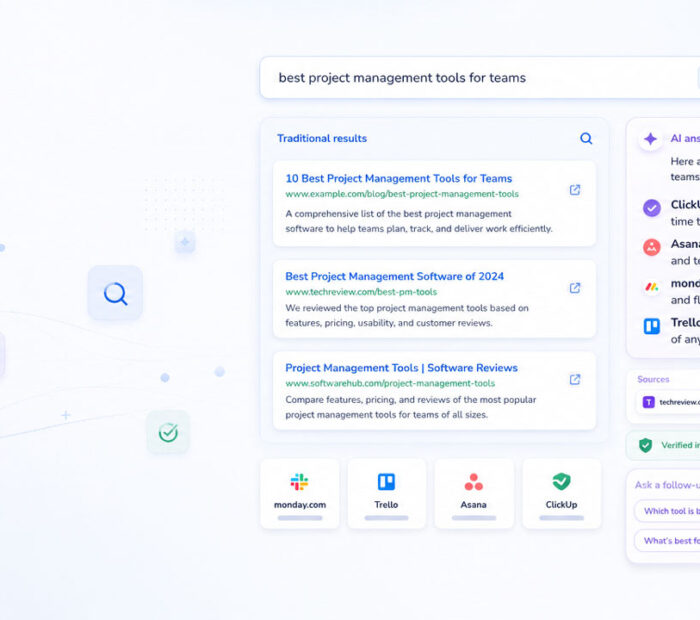
A normal search tool may return links. A chatbot may summarise those links. A browser agent can potentially continue further by opening relevant pages, collecting details, comparing information, navigating between screens, and preparing an action.
A typical agentic browsing task may involve:
- Searching for relevant pages.
- Opening several promising results.
- Extracting information from each source.
- Comparing prices, specifications, dates, or policies.
- Going back when additional information is needed.
- Entering permitted information into forms.
- Pausing when user approval is required.
- Summarising what was completed.
The important difference is that the system can move from answering to acting.
AI Browser Agent vs AI Chatbot
A chatbot and a browser agent can use similar AI models, but their level of access is different.
| Area | AI Chatbot | AI Browser Agent |
|---|---|---|
| Main interaction | Responds through conversation | Responds and interacts with websites |
| Navigation | May provide links or instructions | May open pages and navigate between them |
| Forms | Can help prepare the information | May enter information into supported forms |
| Multi-step tasks | Usually guides the user | Can attempt several browser steps in sequence |
| Risk | Usually limited when no external action occurs | Higher because actions can affect websites and accounts |
| User approval | Often unnecessary for informational responses | Important before sensitive or consequential actions |
The distinction is becoming less obvious because modern AI products can combine conversation, web search, tools, files, and browser control within the same interface.
AI Browser Agent vs AI Browser Assistant
An AI browser assistant generally helps with the page a user is already viewing. It might summarise an article, explain selected text, compare open tabs, or help rewrite content.
A browser agent can go further by navigating through multiple pages and performing actions toward a goal.
However, product terminology is not consistent. Terms such as assistant, agent, copilot, and automation may describe different capabilities depending on the product. It is therefore more useful to examine what a system can actually access and do than to rely on its name.
AI Browser Agents vs Traditional Browser Automation
Traditional browser automation usually follows predefined instructions. Developers may use selectors, element IDs, URLs, expected page structures, and programmed rules to complete a workflow.
AI browser agents can instead interpret what appears on the page and choose actions dynamically.
| Area | Traditional Automation | AI Browser Agent |
|---|---|---|
| Instructions | Detailed programmed steps | Goal-based instructions |
| Page understanding | Relies heavily on known selectors and rules | Can interpret visible and structured page context |
| Layout changes | May fail when expected elements change | May adapt to smaller interface changes |
| Predictability | High when the workflow is stable | Can vary between attempts |
| Best use | Stable and repetitive workflows | Tasks requiring interpretation and flexibility |
AI agents therefore do not automatically replace conventional automation. APIs and scripted automation remain excellent choices when a workflow is stable, high-volume, and needs deterministic behaviour.
AI Browser Agents and RPA
Robotic Process Automation, or RPA, is commonly used to automate repeatable business processes across software systems.
Browser agents overlap with RPA because both can navigate interfaces and enter information. However, an AI agent can provide a flexible reasoning layer for tasks involving natural language, unfamiliar information, or changing layouts.
In many business systems, the two approaches can work together: an AI agent interprets the request and prepares structured information, while a conventional workflow performs the predictable transaction.
How AI Browser Agents Work
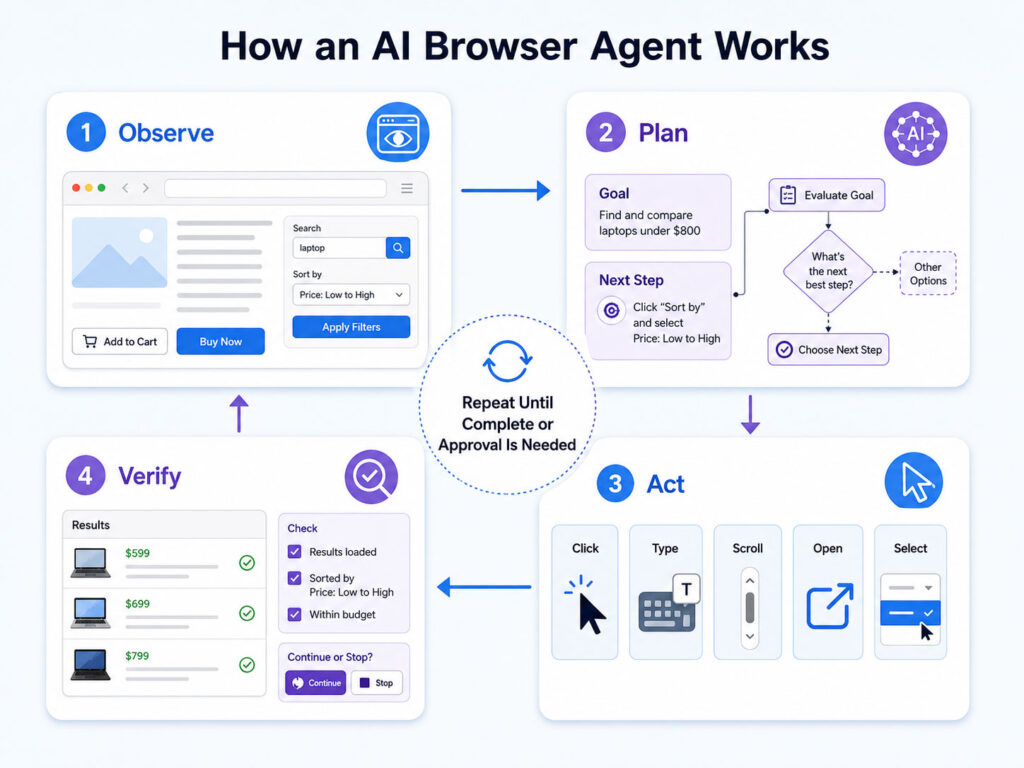
A browser agent normally operates through a repeating cycle of observation, planning, action, and verification.
- The user provides a goal and any restrictions.
- The system opens or connects to a browser environment.
- The agent observes the current page.
- It identifies useful actions that are available.
- The AI model selects an appropriate next step.
- The browser performs that action.
- The agent observes the resulting page or state.
- It verifies whether the action produced the expected result.
- The cycle continues until the task finishes, fails, or requires user approval.
The Browser Agent Loop
| Stage | Purpose | Example |
|---|---|---|
| Observe | Understand the current browser state | Read page content and identify available controls |
| Plan | Choose the next useful step | Decide to open detailed product specifications |
| Act | Perform an interaction | Click a tab, type a query, or select an option |
| Verify | Check the result | Confirm that the expected page or data appeared |
Verification is essential. An agent should not assume that a click worked simply because it attempted the action.
How an AI Agent Understands a Web Page
Browser agents can use several methods to understand what is available on a website.
Visual Browser Control
A visually controlled agent examines screenshots or rendered browser images. It can identify text, buttons, menus, fields, images, dialogs, and other visible elements.
This approach can work even when a website does not provide an API, but visual interpretation can become difficult when controls are small, hidden, animated, overlapping, or visually ambiguous.
DOM and Accessibility Information
The browser may also expose structured information about the page, including HTML elements, labels, roles, states, and accessibility information.
Structured information can help the agent identify a control by meaning rather than relying only on its position on the screen.
Hybrid Browser Control
Many capable systems combine visual information with structured browser data and conventional automation commands.
For example, an agent might use the page structure to locate a form field, visual understanding to interpret an image or chart, and a browser command to enter the required value.
What Actions Can AI Browser Agents Perform?
Capabilities vary between products, but a browser agent may be able to perform actions such as:
- Open web pages.
- Search websites.
- Follow links.
- Switch between browser tabs.
- Scroll through pages.
- Click buttons and menus.
- Enter text into forms.
- Select checkboxes and options.
- Extract information into structured results.
- Upload approved files.
- Download permitted files or reports.
- Pause and request user confirmation.
These capabilities should never be assumed simply because a product calls itself an AI agent. Access depends on the specific browser environment, permissions, connected tools, website restrictions, and user settings.
Planning, Memory, and Browser Agent Architecture
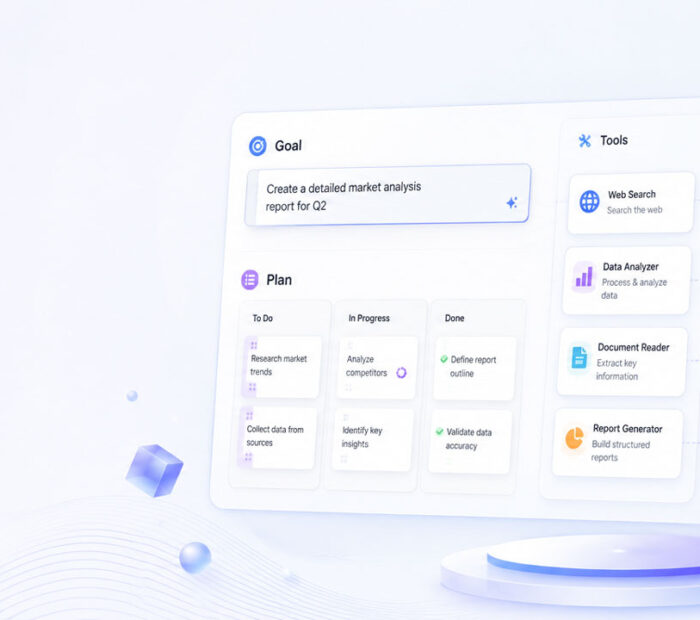
Many browser tasks are too complex to complete with a single action. The agent therefore needs to break a broad goal into smaller steps and keep track of information gathered along the way.
Planning and Task Breakdown
A request such as “find a suitable hotel for my trip” may require the agent to determine the destination and dates, search multiple websites, apply filters, compare cancellation policies, remove unavailable options, and prepare a shortlist.
Good task planning reduces unnecessary browsing and lowers the chance that the agent acts before understanding the user’s requirements.
Memory and Context
Temporary task memory helps the system preserve important details from earlier pages. A comparison task, for example, may require remembering several prices, specifications, warranties, or delivery dates.
Memory should still be limited to what the current task requires because retained information can create privacy and accuracy concerns.
Typical Browser Agent Architecture
| Component | Main Responsibility |
|---|---|
| User interface | Receives instructions and displays progress |
| AI model | Understands the goal and selects actions |
| Browser environment | Loads websites and executes browser interactions |
| Observation system | Provides screenshots or structured page information |
| Action controller | Controls permitted clicks, typing, navigation, and other actions |
| Safety or policy layer | Restricts risky or unauthorised actions |
| Memory | Stores temporary task context and findings |
| Audit system | Records important actions, approvals, and failures |
Read-Only Tasks vs Action-Oriented Tasks
It is useful to separate browser-agent tasks according to whether they simply inspect information or change something outside the AI system.
Read-Only Browser Tasks
Examples include:
- Comparing public product specifications.
- Summarising several web pages.
- Finding publicly available schedules.
- Checking public documentation.
- Collecting contact information.
- Organising research into a table.
These activities usually carry less risk because they do not directly modify an account or submit information. Important facts can still be incorrect or outdated, so critical details should be verified at the original source.
Action-Oriented Browser Tasks
Higher-impact tasks include:
- Submitting a form.
- Uploading a document.
- Sending a message.
- Creating an account.
- Changing account settings.
- Making a reservation.
- Submitting an order.
- Cancelling a service.
- Publishing content.
These actions can affect finances, privacy, accounts, commitments, or reputation. A safer design is to let the agent prepare the action and then request confirmation immediately before the consequential step.
Why AI Browser Agents Are Becoming More Useful
Many online tasks involve repetitive navigation rather than difficult individual steps. Users may need to search several websites, open multiple pages, compare similar information, copy values between systems, and repeatedly check whether conditions have changed.
AI browser agents can reduce this manual effort because modern AI models can interpret natural-language instructions, page text, visual layouts, and changing interfaces.
They are also useful where a dedicated API does not exist. Instead of rebuilding an older browser-based workflow immediately, an organisation may be able to use controlled browser interaction for specific tasks.
However, greater capability should come with greater control. The more websites, accounts, files, and actions an agent can access, the more important permissions, verification, isolation, and user approval become.
Common Uses of AI Browser Agents
Browser agents can assist with a wide range of tasks, but their value depends heavily on how well the result can be checked and how serious the consequences of an incorrect action would be.
Online Research
Research often requires more than opening the first search result. A useful workflow may involve checking publication dates, comparing several sources, locating primary information, identifying conflicting claims, and recording where each fact originated.
A browser agent can help open relevant pages, gather important details, organise findings, and identify missing information.
For important research, the final result should retain source information so the user can verify significant claims independently.
Product Comparison and Shopping
Product research is well suited to browser agents because specifications, warranty information, prices, availability, and reviews may be spread across several websites.
An agent can prepare a useful comparison using criteria such as:
- Exact model number.
- Official specifications.
- Current listed price.
- Seller information.
- Availability.
- Delivery estimates.
- Warranty conditions.
- Return policy.
- Compatibility.
- Required accessories.
Technical specifications should preferably be checked against manufacturer information because marketplace listings can contain incomplete or incorrect details.
A browser agent may also prepare a shopping cart, but checkout deserves additional review. The user should confirm the item, seller, quantity, delivery details, taxes, shipping cost, subscriptions, and final amount before payment.
Travel Planning
Travel research frequently combines dates, destinations, transport options, hotels, baggage rules, cancellation policies, and changing availability.
An agent can gather and organise suitable options, but prices and availability can change quickly. The user should therefore confirm the final itinerary and important booking terms immediately before making a reservation.
Forms and Applications
Browser agents can reduce repetitive form entry by identifying fields and preparing information supplied by the user.
However, the system should never invent missing information simply to satisfy a required field. It should also distinguish between required information, optional information, consent checkboxes, marketing subscriptions, and final submission controls.
Sensitive information deserves particular care because typing it into a website already means sharing it with that website.
Appointment Scheduling
A browser agent can search for available appointments and compare suitable time slots. Before confirming, it should verify details such as the service type, location, date, time zone, duration, price, and cancellation policy.
Customer Support
Browser agents can search documentation, locate troubleshooting instructions, prepare support requests, and collect the information needed for a warranty or service case.
Users should still review outgoing messages and attachments to make sure unnecessary private information is not included.
AI Browser Agents for Business and Development Work
Repetitive Office Work
Employees often move information between browser-based systems, download reports, update records, check task status, and complete routine requests.
AI browser agents can assist where the workflow includes variable text or changing interfaces. Predictable processing can still be handled by APIs, scripts, or conventional automation.
Data Entry
Data-entry tasks may appear simple, but small mistakes can affect invoices, customer records, inventory, reporting, and compliance.
When an agent transfers information between systems, important values should be validated against the original source before the record is finalised.
Website Testing
Developers and QA teams can use browser agents to explore websites through realistic user journeys.
Possible tasks include:
- Testing registration flows.
- Completing forms.
- Reviewing validation messages.
- Testing navigation paths.
- Checking whether important controls are visible.
- Exploring unusual input combinations.
- Capturing evidence when a flow fails.
Agent-based testing complements rather than replaces deterministic automated tests. Critical regression tests should remain repeatable and predictable.
Accessibility Review
AI agents may help identify obvious issues such as missing labels, unclear instructions, difficult keyboard flows, or confusing interface patterns.
Automated analysis cannot fully reproduce the experience of people using assistive technologies. Accessibility testing should therefore include standards-based checks, keyboard testing, screen-reader testing, and appropriate human evaluation.
Content Management
Content teams may use agents to prepare drafts, enter metadata, upload approved assets, check required fields, and review published pages.
Publishing itself should remain controlled because incorrect titles, links, images, visibility settings, or content changes can become public immediately.
Benefits of AI Browser Agents
- Less repetitive browsing: Agents can handle multi-page research and navigation.
- Natural-language instructions: Users can often describe the goal instead of programming every click.
- Cross-page comparison: Information from several pages can be collected and organised together.
- Adaptability: Agents may continue working when wording or layouts change slightly.
- Support for websites without APIs: Browser interaction can sometimes connect AI workflows to older systems.
- Research plus action: The same workflow can collect information and prepare the next step.
- Lower manual effort: Repetitive forms, searches, and navigation may require less direct user interaction.
These benefits depend on the quality of the agent’s page understanding, the safety of its permissions, and how easily its work can be verified.
Limitations of AI Browser Agents
Browser agents remain less predictable than conventional automation. They must operate inside websites that can change at any time and may contain information designed for humans rather than automated systems.
Common limitations include:
- Changing page layouts.
- Dynamic content that appears after a delay.
- Pop-ups and cookie banners.
- Advertisements that resemble normal results.
- Authentication and verification requirements.
- CAPTCHAs and anti-automation controls.
- Different decisions between similar runs.
- Long workflows drifting away from the original requirement.
- Incorrect or outdated information.
- Higher latency than a simple scripted workflow.
Changing Websites and Dynamic Content
Websites regularly redesign menus, forms, buttons, filters, and checkout processes. AI can sometimes adapt to minor changes, but a substantially different interface can still cause incorrect actions.
Pages may also load data asynchronously. Prices, availability, buttons, or search results can change after the first screen appears.
A reliable system should wait for meaningful page conditions and verify the result rather than relying on fixed delays or assumptions.
Pop-Ups, Cookie Banners, and Overlays
Cookie notices, location requests, chat widgets, subscription prompts, and promotional overlays can hide the controls an agent needs.
An agent should not automatically accept every optional tracking or marketing request simply to remove an overlay. Consent decisions should follow the user’s preferences.
CAPTCHAs and Verification
CAPTCHAs and similar controls are designed to prevent abuse and confirm human participation.
A responsible browser agent should stop and allow the user to complete required verification rather than attempting to bypass security controls.
Login and Multi-Factor Authentication
Some browser tasks require the user to be authenticated. Depending on the system, an agent may continue after the user signs in.
Passwords, one-time codes, recovery information, and stored credentials require additional protection. The agent should receive only the access required for the authorised task.
Long Tasks, Speed, Cost, and Information Freshness
Long Tasks and Context Drift
A long browsing workflow can involve dozens of pages, intermediate decisions, and changing information.
As the task grows, an agent may forget an earlier requirement or give too much importance to recent information. Checkpoints can reduce this problem by restating important criteria and reviewing progress before continuing.
Speed and Latency
AI browser agents can be slower than traditional automation because each step may require the system to load a page, inspect it, reason about the next action, perform the interaction, and verify the outcome.
A conventional script may therefore remain faster for stable workflows. The benefit of an agent is usually flexibility rather than raw execution speed.
Browser Agent Cost
Cost can include AI model usage, browser infrastructure, screenshots, network traffic, file processing, logs, and human review.
Useful operational measurements include:
- Cost per successful task.
- Average number of browser steps.
- Percentage of tasks requiring user intervention.
- Cost of failed or repeated attempts.
- Average completion time.
Information Freshness
An agent may read a live website, but that does not guarantee that every value on the page is accurate or current.
Stock availability, fares, prices, appointment slots, policies, and other time-sensitive information can change between research and the final action.
Important details should therefore be checked again at the point when the user is ready to act.
Privacy Risks of AI Browser Agents
A browser session may contain significantly more private information than a normal AI conversation. Depending on its permissions, an agent could encounter account details, search history, uploaded files, form entries, private messages, or information displayed in logged-in services.
Before using browser automation, users and organisations should understand:
- Which pages the agent can inspect.
- Whether the browser session is isolated.
- Which accounts are already signed in.
- Whether screenshots or interaction logs are stored.
- How long task information is retained.
- Who can access stored records.
- What controls exist for deleting task data.
Private or incognito browsing alone does not determine how an AI automation service processes information. The privacy model of the agent itself still matters.
Use the Minimum Necessary Data
The safest approach is to give the agent only the information required for the current task.
A public hotel comparison, for example, normally does not require access to email, payment information, unrelated documents, or other accounts.
Minimising data access limits both privacy exposure and the potential impact of an incorrect action.
Review File Uploads and Downloads
Files deserve additional attention because downloads can contain unsafe content and uploads can expose more information than expected.
Uploaded documents may contain metadata or unrelated information, while downloaded files may require security checks before they are opened.
Before transferring a sensitive file, confirm the destination website, the exact file, and why the website needs it.
AI Browser Agent Security Risks
Browser agents combine two capabilities that require careful security design: they can read untrusted web content and they may also perform actions.
A malicious or misleading website could attempt to influence the agent into doing something unrelated to the user’s original request. For this reason, content found on websites should be treated as information to analyse rather than instructions that automatically override the user’s goal.
What Is Browser Prompt Injection?
Prompt injection occurs when content attempts to manipulate an AI system by presenting instructions that conflict with its intended task or safety rules.
For a browser agent, such instructions could appear in:
- Visible website text.
- Hidden page elements.
- Advertisements.
- Product descriptions.
- User reviews.
- Support tickets.
- Documents opened by the agent.
- Messages displayed inside web applications.
This is particularly important because the agent may encounter malicious instructions indirectly while completing an otherwise legitimate task.
Reducing Prompt-Injection Risk
- Keep user instructions and system policies separate from website content.
- Restrict which actions the browser agent is permitted to perform.
- Prevent a web page from expanding the agent’s permissions.
- Block unnecessary access to local files and credentials.
- Require confirmation before sensitive actions.
- Restrict browsing to approved domains where practical.
- Inspect downloaded files appropriately.
- Stop when a website requests information unrelated to the user’s goal.
- Record unexpected instructions and blocked actions for review.
Prompt-injection defence should not rely on a single filter. Permission boundaries and user approval remain important even when malicious instructions are detected automatically.
Malicious and Misleading Websites
Browser agents can also encounter fake stores, phishing pages, misleading advertisements, impersonated support sites, and other deceptive interfaces.
Before entering important information, the system should verify that the domain and page are appropriate for the user’s task.
Sensitive Actions Need Stronger User Control
Not every browser action requires the same level of supervision. Opening a public article is very different from completing a payment or deleting an account.
Sensitive Information
Information requiring additional care can include:
- Passwords and security codes.
- Payment and banking information.
- Government identification details.
- Private communications.
- Confidential company or customer information.
- Personal documents.
- Precise location information.
Sensitive information should be shared only when it is genuinely required for the user’s authorised task and the destination has been verified.
Purchases and Payments
An agent can perform much of the preparation for an online purchase, including product research, comparison, configuration, and cart preparation.
Before the final transaction, the user should be able to review:
- The exact product or service.
- The quantity.
- The seller or provider.
- The delivery or service date.
- The total amount.
- Taxes and additional charges.
- Cancellation or return terms.
- Any subscription or recurring payment.
Account Changes
Changes to passwords, email addresses, recovery methods, subscriptions, privacy settings, and account permissions can affect future access.
An agent should therefore prepare the change and clearly show the user what will happen before the modification is submitted.
Messages and Public Posts
Sending a message, posting a review, publishing content, or communicating on behalf of a user can affect relationships and reputation.
Browser agents can help prepare such communication, but users should review the final content, destination, and audience before it is sent or published.
Human Approval Levels for Browser Agents
Requiring approval before every click would make browser agents frustrating to use. A better approach is to increase oversight as the consequence of an action increases.
| Action Type | Example | Suggested Behaviour |
|---|---|---|
| Low-risk read-only action | Open a public information page | Continue when the request is clear |
| Reversible preparation | Add an item to a shopping cart | Continue and show the result |
| Sensitive data entry | Enter identity or payment information | Confirm before sharing the data |
| User-visible communication | Send a message or publish a post | Show the final content before sending |
| Financial commitment | Complete a purchase or booking | Confirm the item, amount, and terms |
| Account modification | Change security or subscription settings | Confirm the account and consequence |
| Irreversible action | Delete an account or permanently remove data | Require explicit final approval |
Confirm at the Point of Risk
Confirmation is most useful immediately before the action that creates the consequence.
For example, an agent can research flights and prepare a shortlist without repeatedly interrupting the user. It should pause when identity information needs to be entered and again before a booking or payment becomes final.
How to Use AI Browser Agents More Safely
- Give the agent a clear and limited objective.
- Specify preferred websites or source types when appropriate.
- Avoid giving access to unrelated accounts.
- Review what pages and files the agent can access.
- Keep credentials and one-time security codes protected.
- Confirm the destination before sharing sensitive information.
- Review forms before final submission.
- Verify important prices, quantities, dates, and policies.
- Review messages before they are sent.
- Stop the workflow if the agent begins doing something unexpected.
Use an Isolated Browser Environment
A separate browser session can reduce the amount of unrelated information available to an agent.
Organisations can take this further by using dedicated browser environments containing only approved applications and accounts.
Limit Agent Permissions
A browser agent should have only the permissions needed for its specific job.
A research agent may require public web access but no ability to submit forms or upload files. A business-processing agent may need access to one approved portal but no permission to navigate freely across the internet.
Domain Allowlisting
Restricting an agent to approved websites can reduce exposure in predictable business workflows.
An allowlist does not guarantee that every piece of content on an approved website is trustworthy, but it can reduce unnecessary access.
Sandboxing
Sandboxing runs the browser in an isolated environment with limited access to the wider device.
A sandbox may restrict:
- Local files.
- Clipboard access.
- Network destinations.
- Downloads.
- Stored browser credentials.
- Connected applications.
- Session duration.
Audit Logs and Monitoring
When browser agents are used for business processes, organisations may need records of what the system attempted and what the user approved.
An audit trail can include:
- The original task.
- Websites visited.
- Important actions performed.
- User approvals.
- Files uploaded or downloaded.
- Blocked actions.
- Errors and retries.
- The final outcome.
Audit data itself can contain private information, so access controls and retention limits are important.
Useful Browser-Agent Metrics
- Successful task rate.
- Average browser steps per task.
- Incorrect-action rate.
- User intervention rate.
- Blocked sensitive actions.
- Average task duration.
- Cost per successful task.
- Website-specific failure rates.
A task that stops safely because the agent cannot verify an action may be a better outcome than one that reaches the final page incorrectly.
How to Evaluate an AI Browser Agent
Browser-agent evaluation should use realistic workflows rather than only carefully prepared demonstrations.
Useful tests include:
- Normal successful workflows.
- Changed button locations.
- Slow-loading pages.
- Cookie banners and pop-ups.
- Unavailable products or appointments.
- Incorrect user information.
- Unexpected authentication requests.
- Misleading advertisements.
- Prompt injection within web content.
- Actions requiring user confirmation.
- Network interruptions.
- Situations where the correct behaviour is to stop.
Measure Task Correctness
Reaching a final page does not automatically mean the task was completed correctly.
A reservation, for example, may reach checkout while still containing the wrong date, location, quantity, traveller, or price.
Evaluation should therefore compare the final result with the user’s complete requirements.
Measure Safe Behaviour
Testing should also verify whether the agent:
- Stops at appropriate approval points.
- Rejects unrelated website instructions.
- Stays within authorised websites.
- Protects credentials and other secrets.
- Handles sensitive fields correctly.
- Reports uncertainty when necessary.
- Recovers safely after errors.
Failure Recovery
When a task fails, an agent should not simply continue clicking controls at random.
It should identify the problem, return to a known state where possible, retry within defined limits, or request user assistance.
Retrying transactions deserves special care. If a payment page times out, for example, the system should first determine whether the transaction succeeded rather than immediately submitting it again.
When Should You Use an AI Browser Agent?
Browser agents are particularly useful when:
- Several websites or pages need to be reviewed.
- The task requires interpretation rather than fixed rules.
- Page layouts may change occasionally.
- A convenient API is not available.
- Failures are generally reversible.
- The user can review important decisions.
- The final result can be independently verified.
When Traditional Automation Is Better
APIs, scripts, or conventional automation may be a better choice when:
- The workflow is stable and highly repetitive.
- Results need to be deterministic.
- Very high transaction volumes require low latency.
- A reliable API already exists.
- Strict transaction guarantees are required.
- The system should immediately fail when the expected workflow changes.
Introducing AI where a reliable conventional solution already exists can add unnecessary cost and uncertainty.
When a Browser Agent Should Not Act Independently
Human decision-making and explicit approval are especially important for actions involving substantial financial commitments, legal declarations, important account deletion, changes to security controls, high-impact public communication, and other decisions with serious consequences.
In these situations, the agent can still assist with research, preparation, comparison, and form drafting without making the final decision itself.
How to Choose an AI Browser Agent
Before selecting a browser-agent platform, consider:
- Supported browsers and operating systems.
- Which websites it can access.
- Browser isolation.
- Permission controls.
- User-confirmation behaviour.
- Data-retention policies.
- Privacy controls.
- Protection against prompt injection.
- File upload and download controls.
- Credential handling.
- Audit history.
- Task limits and pricing.
- Business administration controls where required.
More capability is not automatically better. A well-designed agent should have enough access to complete the intended task without receiving unnecessary control over the user’s browser, accounts, or data.
AI Browser Agent Implementation Checklist
- Define the task and expected result clearly.
- Separate read-only actions from actions that modify data.
- Use an isolated browser environment where appropriate.
- Permit only the websites required for the workflow.
- Restrict access to files, credentials, and connected services.
- Treat website content as untrusted input.
- Add user approval before sensitive actions.
- Validate important values before submission.
- Record significant actions and failures.
- Limit retries and total task duration.
- Test against misleading content and prompt injection.
- Provide an obvious stop or user-takeover option.
- Measure accuracy, safety, latency, and cost.
- Define retention and deletion policies for task data.
Common AI Browser Agent Mistakes
- Giving the agent an objective that is too vague.
- Allowing unrestricted access to websites and accounts.
- Using a personal browser profile containing many active sessions.
- Entering sensitive information without checking the destination.
- Completing purchases without final price and seller verification.
- Treating website content as trusted instructions.
- Ignoring subscriptions or renewal conditions.
- Retrying a payment before checking whether it already succeeded.
- Sending messages without reviewing the final text and recipient.
- Measuring task completion without measuring correctness.
- Using AI where an existing API or deterministic script is more appropriate.
- Assuming a successful demonstration guarantees reliable production performance.
Frequently Asked Questions About AI Browser Agents
Are AI Browser Agents the Same as AI Agents?
An AI browser agent is one type of AI agent. It specialises in tasks involving websites and browser interfaces.
Other AI agents may work primarily with APIs, databases, files, code, messaging systems, calendars, or business applications without controlling a browser interface.
Can AI Browser Agents Use Any Website?
No. Access depends on the agent’s capabilities, website policies, authentication requirements, geographic restrictions, technical limitations, and the permissions available within the browser environment.
Can a Browser Agent Fill Out Forms?
Supported agents can potentially identify fields and enter information supplied by the user. Important forms should still be reviewed before sensitive information is entered or the form is submitted.
Can AI Browser Agents Make Purchases?
Some systems may be capable of preparing or completing supported purchases. The user should confirm the exact item, seller, quantity, address, final price, additional fees, and recurring charges before payment.
Can AI Browser Agents Book Flights and Hotels?
Browser agents can assist with travel research, comparisons, and preparation. Because prices and availability change frequently, dates, passenger information, cancellation conditions, and the final amount should be checked before booking.
Can Browser Agents Access Passwords?
This depends on how the specific system is designed. Users should avoid giving browser agents broad access to stored passwords when controlled authentication or direct user sign-in can be used instead.
Can AI Browser Agents Bypass CAPTCHAs?
Security checks and identity-verification controls should not be bypassed. When a website requires human verification, the agent should pause and allow the user to complete that step.
Are AI Browser Agents Safe?
They can be useful when operating within clearly defined permissions and controlled environments. Their risks include incorrect actions, misleading websites, privacy exposure, prompt injection, and misunderstood instructions.
Safety therefore depends on the complete system surrounding the AI model, including permissions, browser isolation, verification, confirmation, and user oversight.
Will AI Browser Agents Replace Traditional Automation?
Browser agents may replace some fragile workflows where interpretation and flexibility are important. APIs, scripts, and traditional automation remain better suited to many stable, high-volume, and deterministic processes.
Will AI Browser Agents Replace Human Browsing?
They can reduce repetitive searching and navigation, but users remain important for judgement, approvals, unusual situations, and decisions with significant consequences.
Where AI Browser Agents Fit Best
AI browser agents extend AI beyond answering questions by allowing software to interact directly with websites. They can inspect pages, follow links, compare information, complete repetitive steps, prepare forms, and coordinate multi-page workflows.
Their biggest advantage is flexibility. A browser agent can often handle tasks that are difficult to express as a fixed sequence of clicks. That same flexibility, however, makes verification and permission control essential.
The most practical approach is to use browser agents for tasks that are clearly defined, reviewable, and reversible while keeping consequential decisions under direct user control.
For predictable high-volume workflows, conventional APIs and automation may still be the better engineering choice. For variable tasks requiring interpretation across websites, supervised browser agents can provide a useful additional layer of automation.

AboutTPJ Technical Team
The Project Jugaad Technical Team creates practical, easy-to-follow content on software development, web technologies, artificial intelligence, cybersecurity, cloud platforms, and digital tools. Our articles are informed by more than 13 years of hands-on experience with .NET, Angular, SQL Server, AWS, WordPress, Linux hosting, application deployment, and real-world troubleshooting. Each guide is researched, reviewed, and updated to provide accurate, useful, and actionable information for developers, businesses, and everyday technology users.