Technology
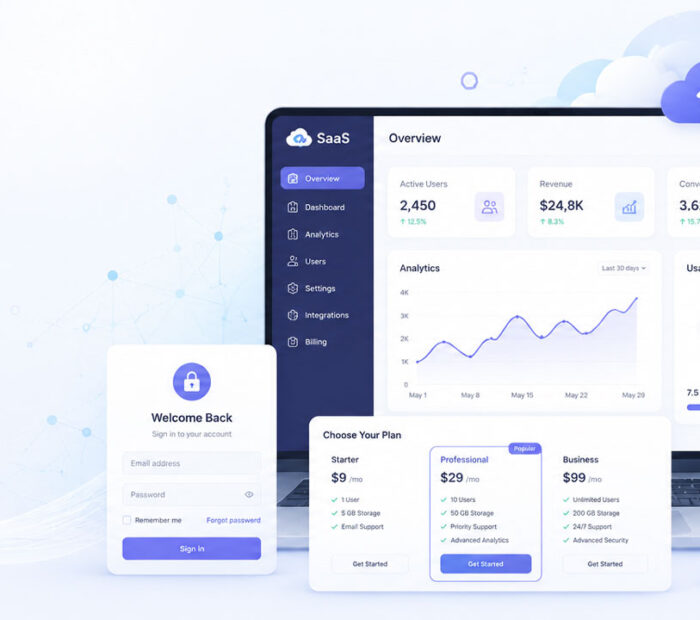
What Is SaaS is a common question because many apps and tools we use today are no longer installed in the old traditional way. Instead, they are available online through a browser, mobile app, or cloud-based platform.
SaaS is used in email, file storage, billing, project management, customer support, design, video meetings, accounting, and many business tools.
Because of this, understanding SaaS can help users choose better software, compare pricing, and understand how modern cloud-based tools work.
What Is SaaS?
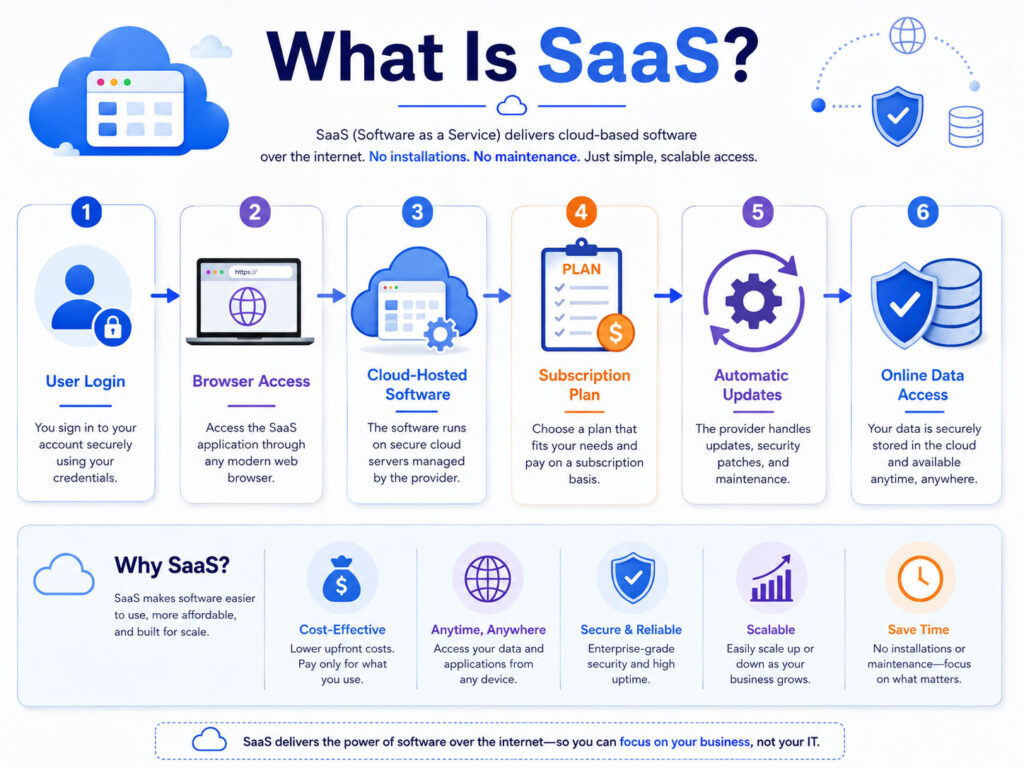
SaaS stands for Software as a Service.
It means software that is delivered through the internet instead of being fully installed and managed on your own computer or server.
In simple words, SaaS is online software that you can use through a web browser or app. The software provider manages hosting, updates, security patches, and infrastructure in the background.
Simple SaaS Example
Earlier, users often bought software once, installed it on a computer, and updated it manually. With SaaS, users usually create an account, log in online, and start using the software.
For example, a business may use online invoicing software to create invoices, manage customers, and view reports. The user does not need to manage servers or install complex systems.
The SaaS provider hosts the application, stores data based on the service setup, and keeps the software available through the internet.
How SaaS Works
SaaS works through a cloud-based delivery model.
| Step | What Happens |
|---|---|
| User Signs Up | The user creates an account or subscribes to a plan |
| User Logs In | The software opens through a browser or app |
| Provider Hosts Software | The SaaS company manages servers, updates, and availability |
| User Uses Features | The user creates, stores, shares, or manages data online |
| Plan Controls Access | Features may depend on free, monthly, yearly, or business plans |
This model makes software easier to access and simpler to maintain for many users and businesses.
Common Examples of SaaS
Many popular online tools follow the SaaS model.
| SaaS Category | Simple Example |
|---|---|
| Email and Office Tools | Online email, documents, spreadsheets, and presentations |
| Cloud Storage | Online file storage, sync, and sharing tools |
| Video Meetings | Online meeting and webinar platforms |
| Project Management | Task boards, planning tools, and team collaboration apps |
| Design Tools | Online graphic design and content creation platforms |
| Billing Software | Online invoicing, quotation, payment, and reporting tools |
| CRM Software | Customer management, sales tracking, and follow-up systems |
These tools are popular because users can access them from different devices without managing the full technical setup themselves.
SaaS vs Traditional Software
SaaS is different from traditional software in how it is delivered, updated, and paid for.
| Point | Traditional Software | SaaS |
|---|---|---|
| Installation | Usually installed on a specific computer or server | Usually accessed online through browser or app |
| Updates | User or IT team may need to update manually | Provider usually manages updates |
| Payment | Often one-time license or version-based cost | Often monthly, yearly, free, or usage-based plan |
| Access | May be limited to installed device | Can often be accessed from multiple devices |
| Maintenance | User or company manages more technical work | Provider manages much of the backend setup |
Because of this, SaaS is useful when users want faster setup, easier access, and regular improvements.
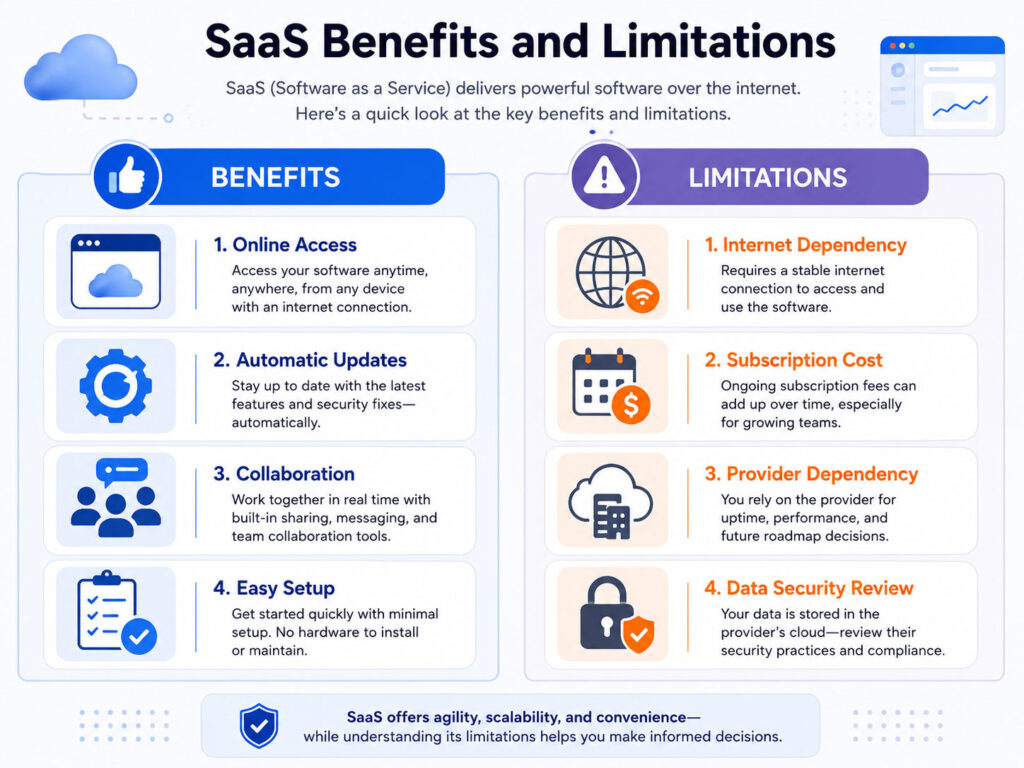
Benefits of SaaS
SaaS offers many benefits for individuals, startups, and businesses.
- It is easy to start because users can sign up online.
- It reduces the need to manage servers or complex installations.
- It can be accessed from different devices.
- It usually receives regular updates from the provider.
- It can support team collaboration and file sharing.
- It may offer flexible plans based on user needs.
As a result, SaaS can save time and reduce technical work for many teams.
Limitations of SaaS
SaaS is useful, but it also has limitations.
- It usually needs an internet connection.
- Monthly or yearly cost may increase over time.
- Data storage depends on the provider and plan.
- Customization may be limited in some tools.
- Users should review privacy, security, and backup options.
- Changing providers later may require data migration.
Therefore, users should compare features, cost, support, data export, and security before choosing a SaaS tool.
Who Uses SaaS?
SaaS is used by different types of users because it supports both personal and business needs.
- Students use online document and storage tools.
- Small businesses use billing, CRM, and accounting tools.
- Teams use project management and communication tools.
- Designers use online design and editing tools.
- Developers use cloud platforms, monitoring tools, and code collaboration tools.
- Enterprises use SaaS for sales, HR, support, finance, and operations.
This wide usage makes SaaS one of the most common software delivery models today.
How SaaS Pricing Works
SaaS pricing usually depends on the plan, features, number of users, storage, usage, or business needs.
Common pricing models include:
- Free plan with limited features.
- Monthly subscription plan.
- Yearly subscription plan.
- Per-user pricing.
- Usage-based pricing.
- Business or enterprise custom pricing.
Before buying a SaaS plan, check whether the features you need are available in that plan. Also, review renewal cost, storage limits, support options, and cancellation terms.
How to Choose the Right SaaS Tool
Choosing the right SaaS tool depends on your actual requirement.
| Question | Why It Matters |
|---|---|
| What problem should the tool solve? | Helps avoid paying for unnecessary features |
| How many users need access? | Affects pricing and permissions |
| Does it support data export? | Helps if you need to move data later |
| Does it integrate with other tools? | Improves workflow and automation |
| Is security strong enough? | Protects business and customer data |
| Is support available when needed? | Helps during setup, issues, or migration |
A good SaaS tool should solve a real problem, fit your budget, and support your long-term workflow.
SaaS Security Tips
Because SaaS tools are online, account and data security are very important.
- Use strong and unique passwords.
- Enable two-factor authentication where available.
- Give users only the access they need.
- Remove old users when they no longer need access.
- Review shared links and permissions regularly.
- Check backup and data export options.
- Use trusted devices and avoid logging in from public systems.
These habits can help reduce account misuse and data exposure.
Is SaaS Good for Small Businesses?
Yes, SaaS can be useful for small businesses because it reduces setup time and technical maintenance.
A small business can use SaaS for invoices, quotations, customer records, file sharing, email, video meetings, task tracking, and online forms.
However, small businesses should avoid subscribing to too many tools without planning. Too many separate tools can increase cost and make data management difficult.
Conclusion
What Is SaaS can be explained simply as software that is delivered online as a service.
Instead of installing and managing everything yourself, you use the software through the internet while the provider manages hosting, updates, and much of the technical setup.
SaaS is useful for email, storage, billing, project management, CRM, design, meetings, and many business workflows. Before choosing a SaaS tool, compare features, pricing, security, support, and data export options. The right SaaS tool can save time, improve collaboration, and make daily work easier.

AboutTPJ Technical Team
The Project Jugaad Technical Team creates practical, easy-to-follow content on software development, web technologies, artificial intelligence, cybersecurity, cloud platforms, and digital tools. Our articles are informed by more than 13 years of hands-on experience with .NET, Angular, SQL Server, AWS, WordPress, Linux hosting, application deployment, and real-world troubleshooting. Each guide is researched, reviewed, and updated to provide accurate, useful, and actionable information for developers, businesses, and everyday technology users.