Cyber Security
Online Privacy Tips are important because many websites, apps, advertisers, and online services collect information about user activity. This information may include browsing behavior, location, device details, search activity, clicks, interests, and account usage.
Some tracking is used to improve services, remember preferences, or keep accounts secure. However, too much tracking can affect privacy and create unwanted data exposure.
The good news is that you do not need to stop using the internet to improve privacy. With a few smart habits and settings, you can reduce tracking and protect your personal information better.
What Is Online Tracking?
Online tracking means collecting information about what users do on websites, apps, or online platforms.
For example, a website may remember what pages you visited, what products you viewed, or whether you are logged in. An app may collect location, device, or usage information based on permissions and settings.
In simple words, tracking helps online services understand user behavior. But users should know what is being collected and control it where possible.
Why Online Privacy Matters
Online privacy matters because personal data can reveal a lot about your habits, interests, location, purchases, contacts, and daily routine.
If this data is collected, shared, leaked, or misused, it may lead to unwanted ads, scam targeting, identity misuse, account risk, or loss of control over personal information.
Therefore, privacy is not only about hiding something. It is about controlling what you share and who can access it.
Common Ways You Are Tracked Online
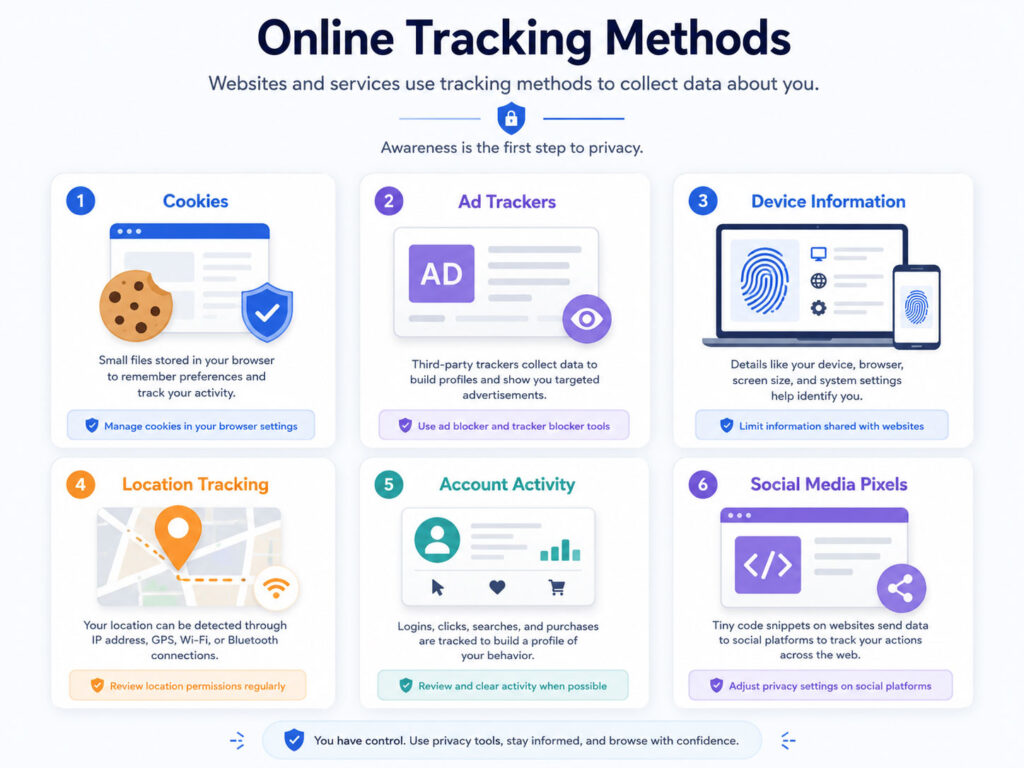
Tracking can happen in many ways. Some methods are visible, while others work in the background.
| Tracking Method | Simple Meaning |
|---|---|
| Cookies | Small files that remember website activity and preferences |
| Ad Trackers | Tools used to show targeted ads based on behavior |
| Device Information | Browser, screen, operating system, and device details |
| Location Tracking | Apps or websites collecting location information |
| Account Activity | Services tracking actions while you are logged in |
| Social Media Pixels | Tracking tools connected with social platforms and ads |
Once you understand these methods, it becomes easier to reduce unnecessary tracking.
Use Strong Browser Privacy Settings
Your browser is one of the first places where you can improve online privacy.
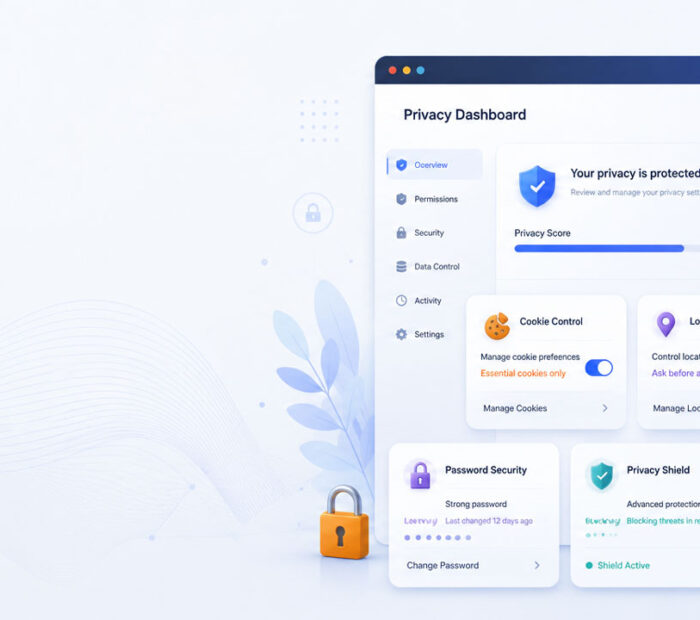
Most modern browsers include privacy controls for cookies, popups, site permissions, tracking protection, saved passwords, and browsing data.
Review these settings regularly and adjust them based on your comfort level.
- Block third-party cookies where possible.
- Clear old cookies and site data when needed.
- Review saved passwords and autofill information.
- Disable unnecessary browser extensions.
- Keep the browser updated.
- Use private browsing when you need a temporary session.
These steps can reduce unnecessary tracking and improve browser safety.
Manage Cookies Carefully
Cookies are not always bad. Some cookies help websites remember login sessions, language settings, cart items, or preferences.
However, tracking cookies can follow activity across websites and support targeted advertising. So, it is better to manage cookies instead of accepting everything without reading.
When a website shows a cookie banner, choose only necessary cookies if that option is available. You can also clear cookies from time to time if you want to reset saved website data.
Review App Permissions
Mobile apps often ask for permissions such as camera, microphone, location, contacts, photos, storage, and notifications.
Some permissions are required for app features. For example, a map app may need location access. But not every app needs access to everything.
Review app permissions and remove anything that is not required.
| Permission | What to Check |
|---|---|
| Location | Allow only when needed, not always |
| Camera | Allow only for apps that truly need it |
| Microphone | Disable for apps that do not need voice input |
| Contacts | Avoid sharing unless the feature requires it |
| Photos and Files | Allow limited access where possible |
| Notifications | Disable unnecessary alerts and spammy apps |
Limit Location Tracking
Location data can reveal where you live, work, shop, travel, or spend time.
To reduce location tracking, allow location access only when an app really needs it. Also, check whether the app needs exact location or approximate location.
For example, a weather app may only need approximate location. A navigation app may need exact location while you are using it.
Use Strong Passwords and Two-Factor Authentication
Online privacy and account security are connected.
If someone gets access to your email, cloud storage, social media, or shopping account, they may see private messages, files, addresses, payment details, and account history.
To protect important accounts, use strong unique passwords and enable two-factor authentication where possible.
- Use a different password for every important account.
- Avoid simple passwords based on name, birthdate, or phone number.
- Use a password manager if you manage many accounts.
- Enable two-factor authentication for email, banking, cloud, and social media accounts.
- Do not share OTPs, passwords, or recovery codes with anyone.
Be Careful with Social Media Sharing
Social media can reveal more personal information than users realize.
Photos, check-ins, family details, school names, travel plans, workplace updates, and public comments can create a personal profile over time.
To improve privacy, review your social media settings and think before posting sensitive information.
- Limit who can see your posts.
- Avoid sharing live location publicly.
- Do not post personal documents, tickets, or IDs.
- Review old public posts from time to time.
- Be careful with unknown friend requests or messages.
Use Privacy-Friendly Search and Browsing Habits
Your search history and browsing activity can reveal your interests, problems, plans, and personal needs.
To reduce tracking, use privacy settings in your search engine and browser. You can also clear browsing data when needed and avoid staying logged in everywhere unnecessarily.
Private browsing can help reduce local history on your device, but remember that it does not make you fully anonymous online.
Avoid Unnecessary Browser Extensions
Browser extensions can be useful, but they may also create privacy risk if they ask for too much access.
Install extensions only from trusted sources and remove extensions you no longer use. Also, check whether an extension can read or change data on websites you visit.
Too many extensions can also slow down the browser and increase security risk.
Simple Online Privacy Habits
You can improve privacy by following a few simple habits regularly.
- Think before accepting all cookies.
- Review app permissions every few months.
- Keep apps, browsers, and devices updated.
- Use secure Wi-Fi and avoid sensitive work on unknown public networks.
- Log out from shared devices.
- Delete accounts you no longer use.
- Check privacy settings on major accounts.
Small privacy steps can make a big difference over time.
Conclusion
Online Privacy Tips are useful because tracking is now part of many websites, apps, and online services.
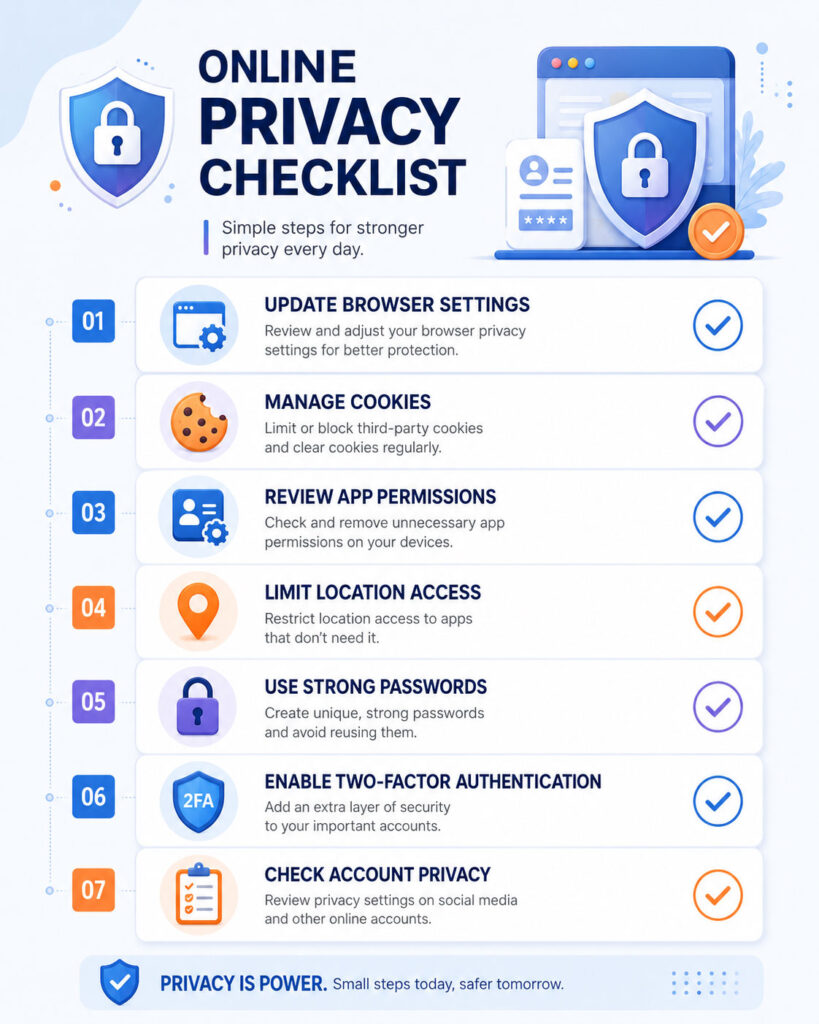
You may not be able to stop all tracking, but you can reduce unnecessary data sharing. Start with browser privacy settings, cookie controls, app permissions, location access, strong passwords, two-factor authentication, and careful social media sharing.
The goal is not to avoid the internet. The goal is to use it with better control, better awareness, and safer privacy habits.

AboutTPJ Technical Team
The Project Jugaad Technical Team creates practical, easy-to-follow content on software development, web technologies, artificial intelligence, cybersecurity, cloud platforms, and digital tools. Our articles are informed by more than 13 years of hands-on experience with .NET, Angular, SQL Server, AWS, WordPress, Linux hosting, application deployment, and real-world troubleshooting. Each guide is researched, reviewed, and updated to provide accurate, useful, and actionable information for developers, businesses, and everyday technology users.